Login in the 'Scanner App'
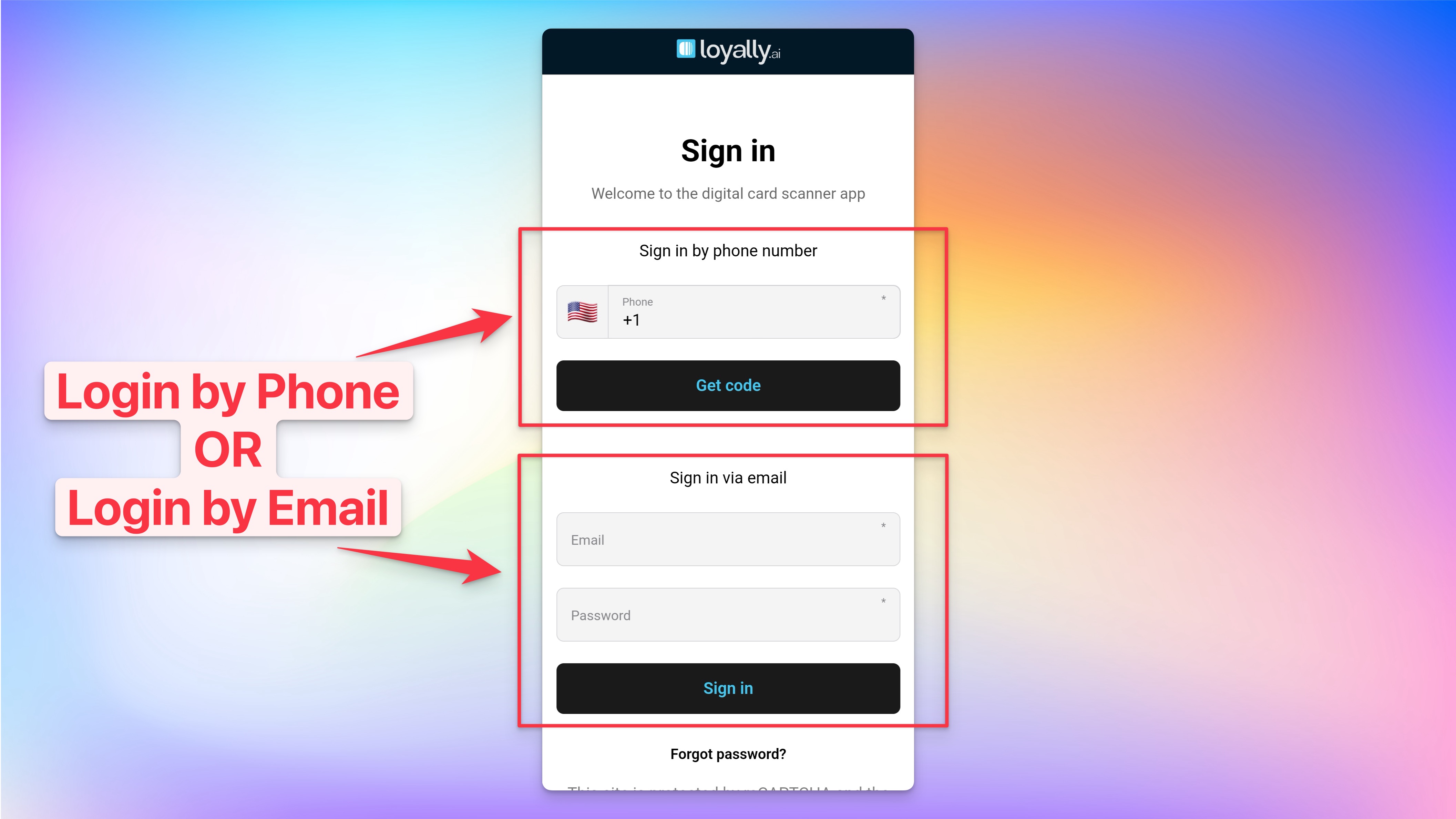
Sign in using either your Loyally.ai account Phone Number OR Email.
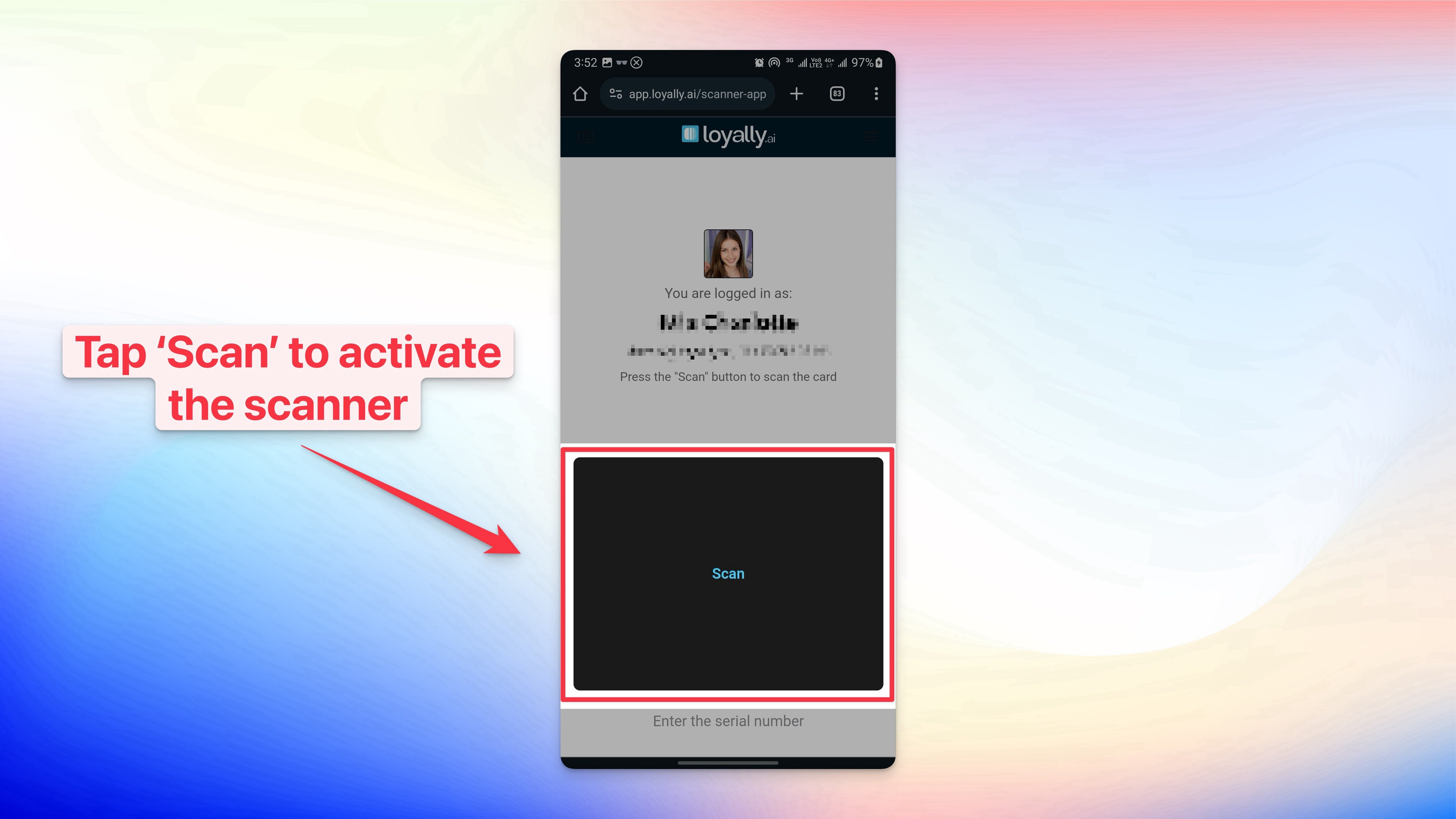
Tap 'Scan' to activate the Scanner
Done 🎉🎉 Now you can scan your customer's loyalty cards.
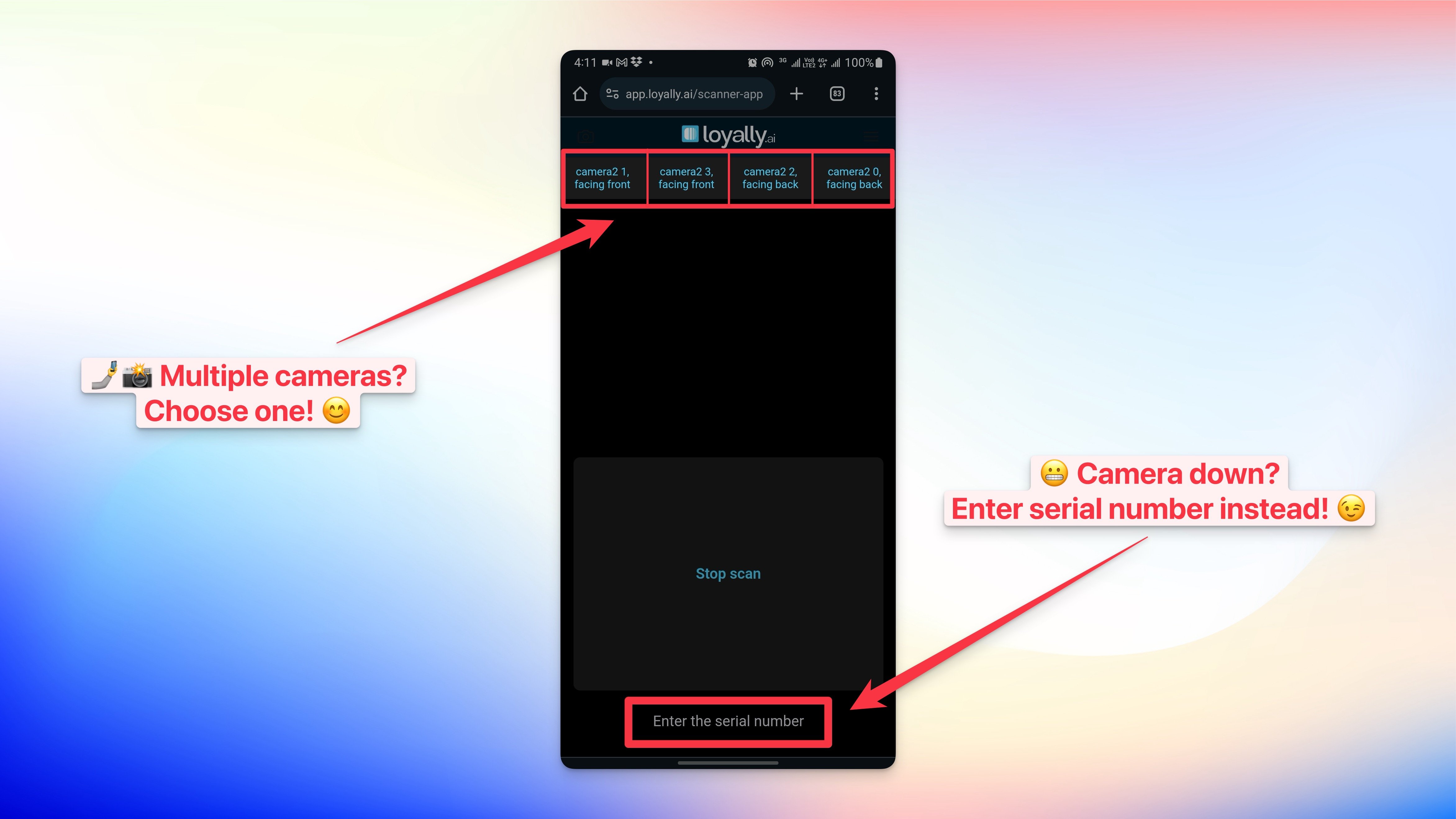
Camera not working?
If your scanner is not working, simply choose a different camera source or 'Enter the serial number' of your customer's loyalty card.