Learn how to view, manage, and edit customer details for Reward Card–based loyalty programs in Loyally.
From the Customer Profile, you can adjust transactions, modify bonus balances, and redeem rewards — all while tracking points and purchase history in one view.
From a Reward Card customer profile, you can:
Add or remove transaction amounts manually
Adjust or correct bonus point balances
Redeem customer rewards directly
Review transaction history and point totals
Track cumulative balances and event details
You can manually add or deduct a Transaction Amount directly from a customer’s profile.
Open the customer’s profile.
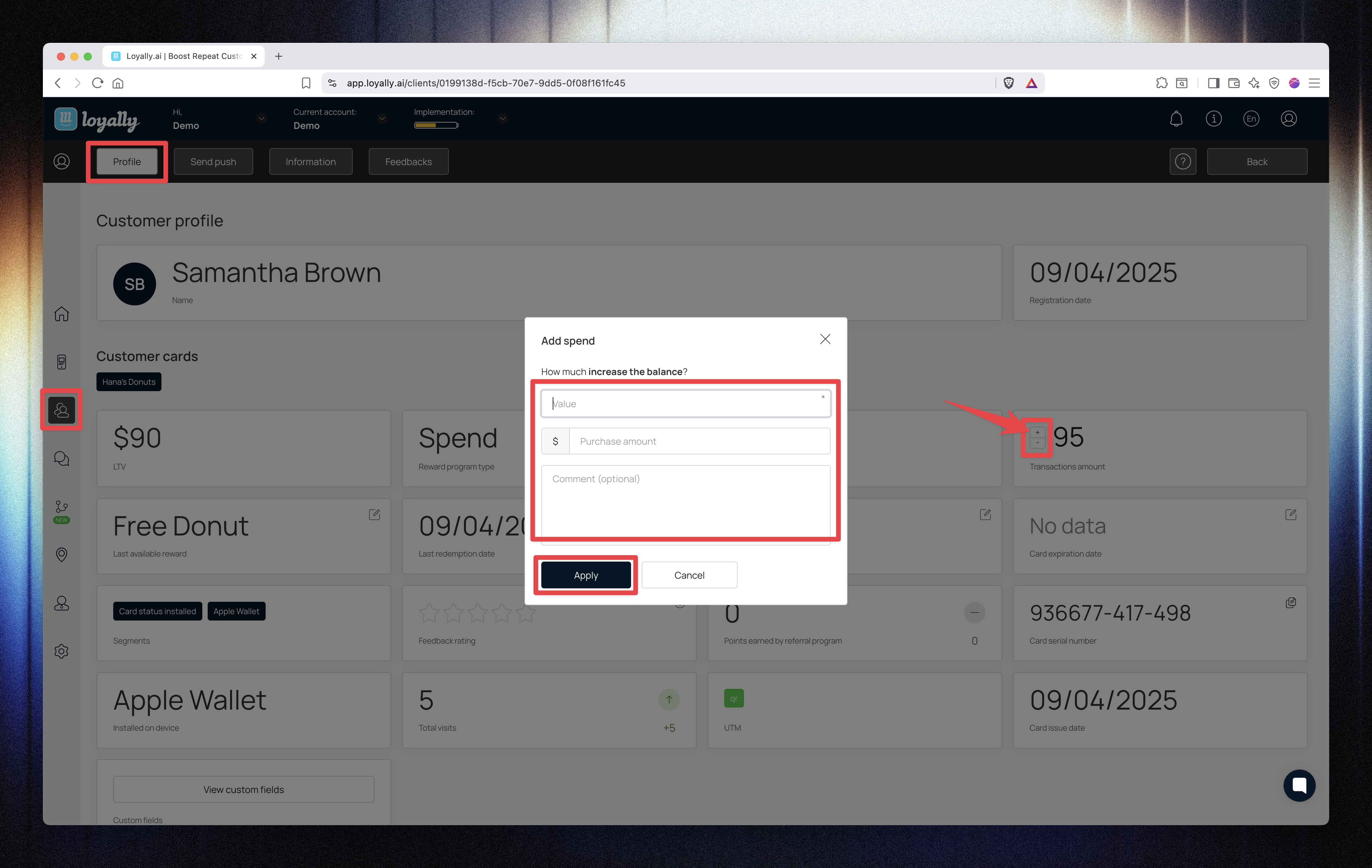
Click the “+” icon beside Transaction Amount.
Enter the Value — this represents the transaction amount (e.g., purchase value).
(Optional) Enter the Purchase amount and a Comment.
Click Apply.
✅ The entered Value determines how many points the customer earns, based on your loyalty program settings.
For example, if your earn rule is $10 = 200 points, entering $50 will award the customer 1,000 points.
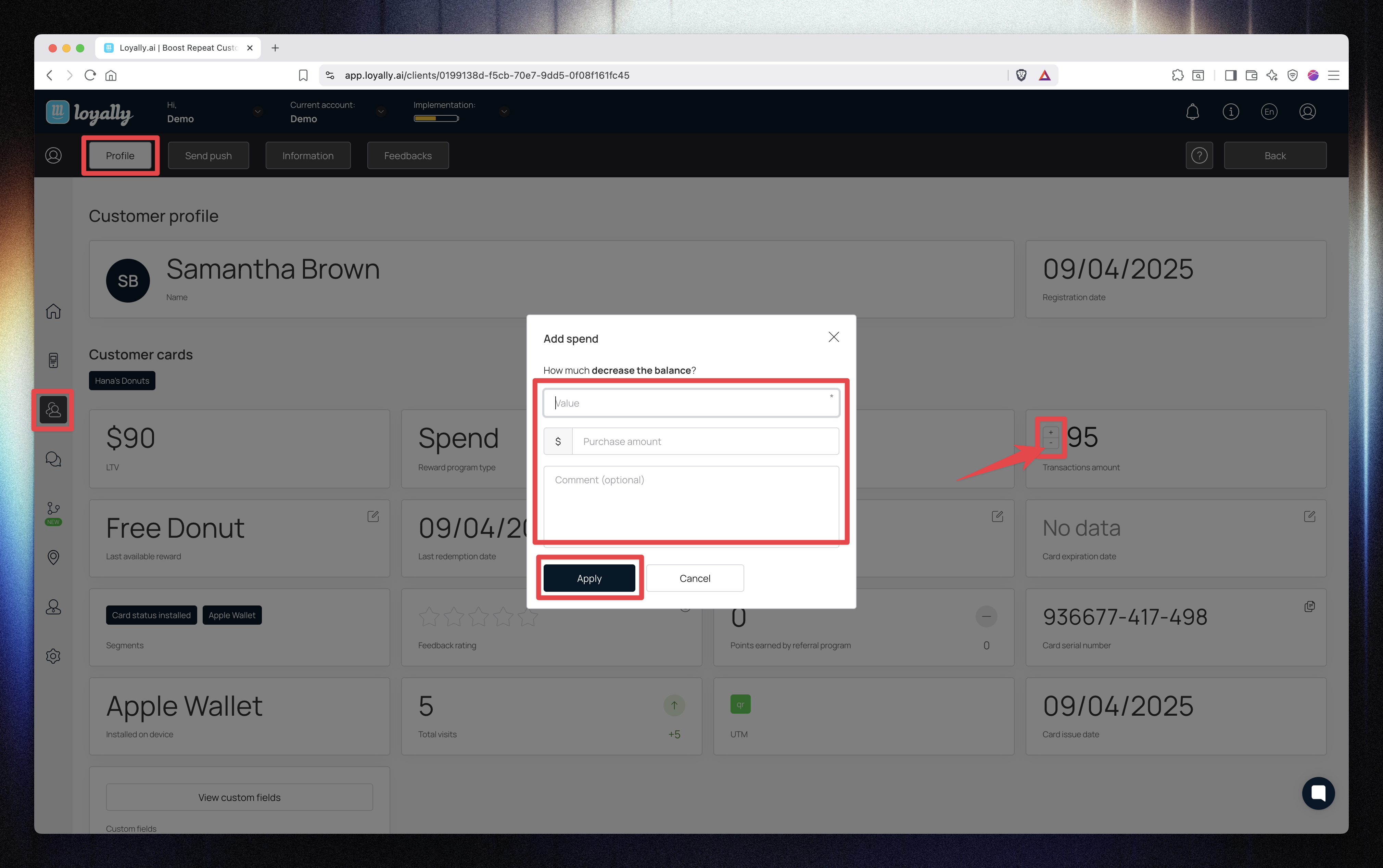
Click the “−” icon beside Transaction Amount.
Enter the Value you want to subtract.
(Optional) Add the same amount in the Purchase amount field.
(Optional) Add a Comment for record-keeping.
Click Apply.
📉 The transaction amount and associated points will be reduced accordingly in the customer’s history.
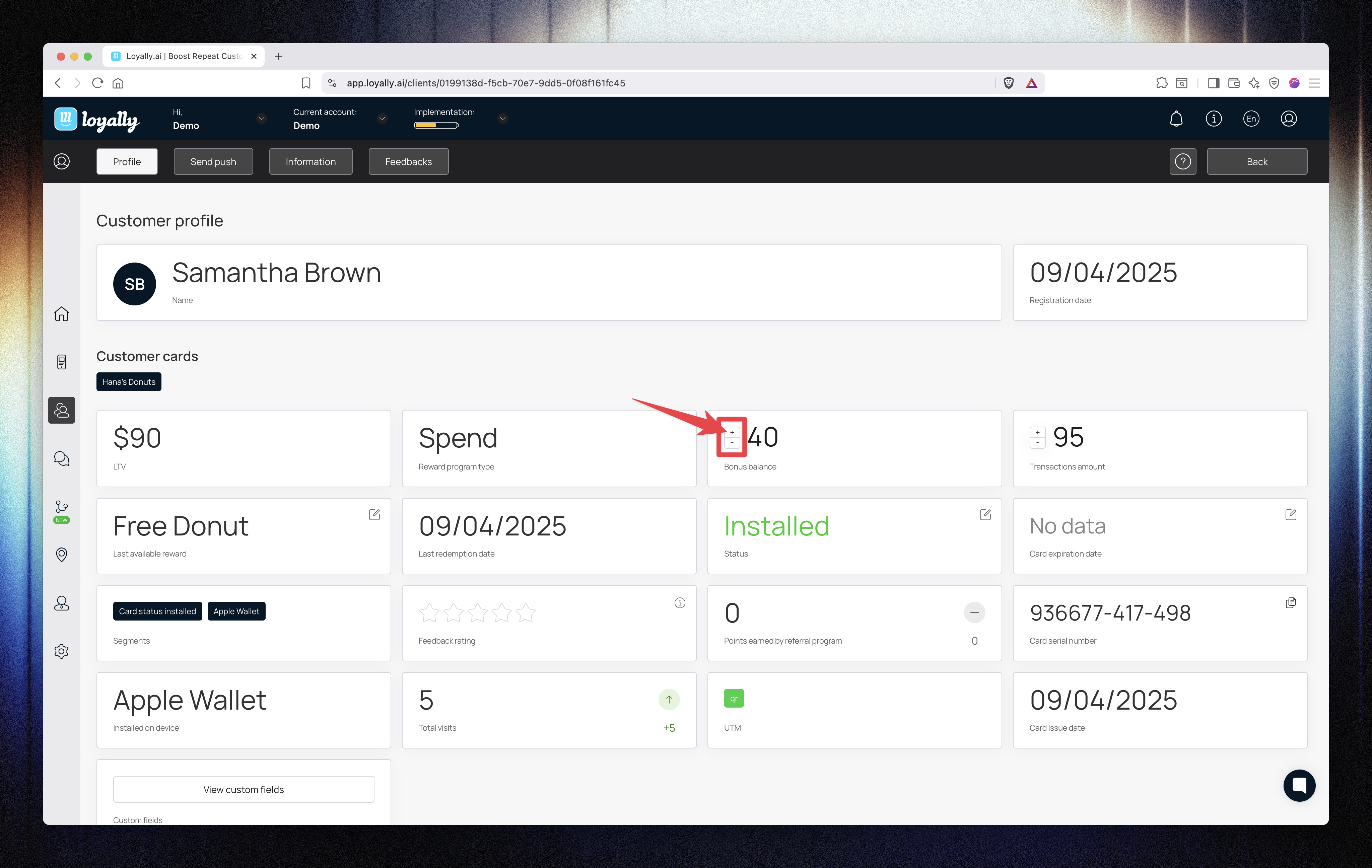
You can manually modify the Bonus Balance for a customer — useful for promotional adjustments or correcting errors.
Click the “+” icon beside Bonus Balance.
Enter the Value — this is the exact number of points to add.
(Optional) Enter a Purchase amount (it won’t affect the number of points).
(Optional) Add a Comment.
Click Apply.
✅ The Value you enter is added directly to the customer’s points total — independent of any purchase amount.
For example, entering 10 adds 10 points, regardless of what the customer spent.
Click the “−” icon beside Bonus Balance.
Enter the Value (number of points to remove).
(Optional) Add a Purchase amount or Comment.
Click Apply.
📉 The specified points will be deducted from the customer’s total.

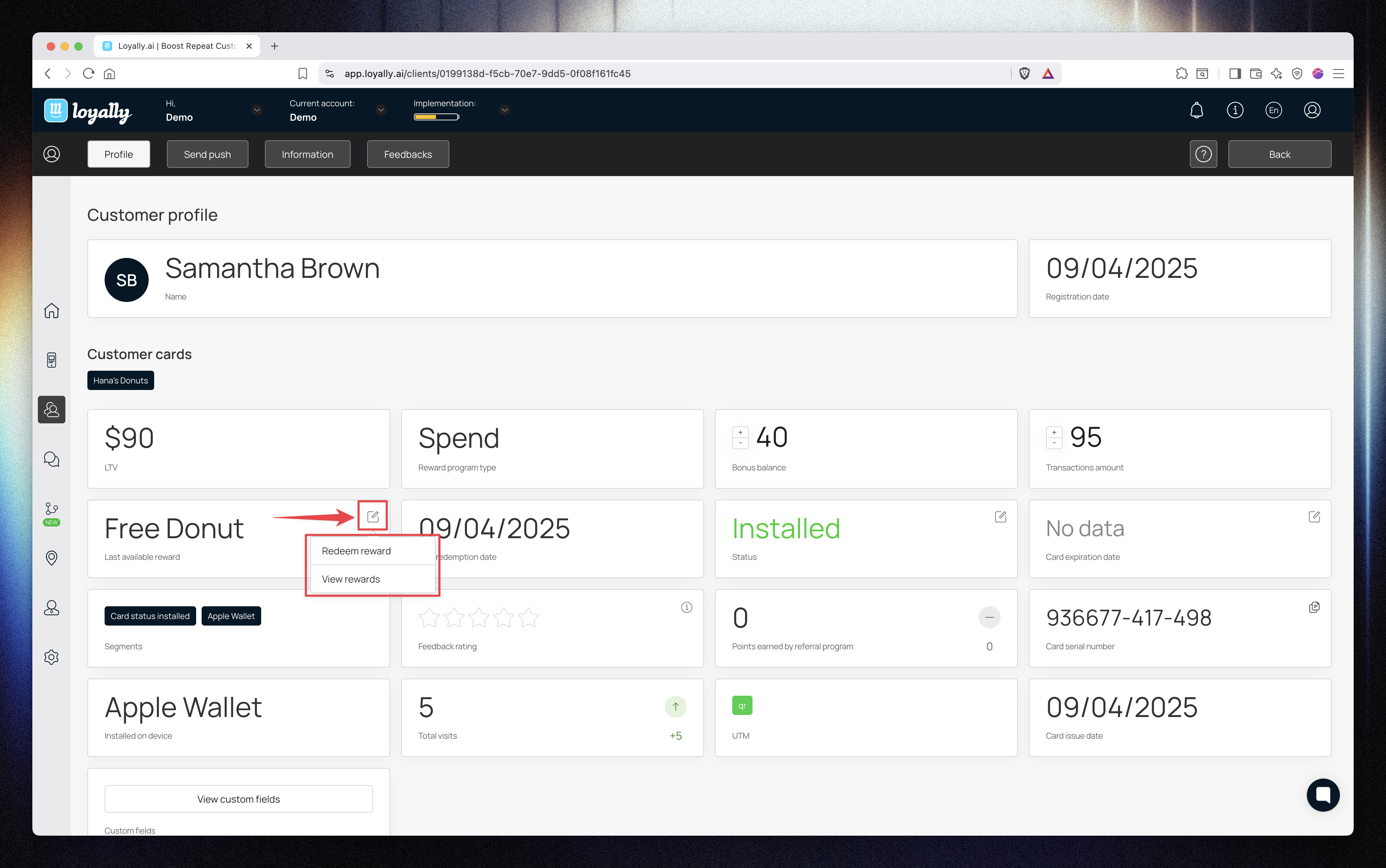
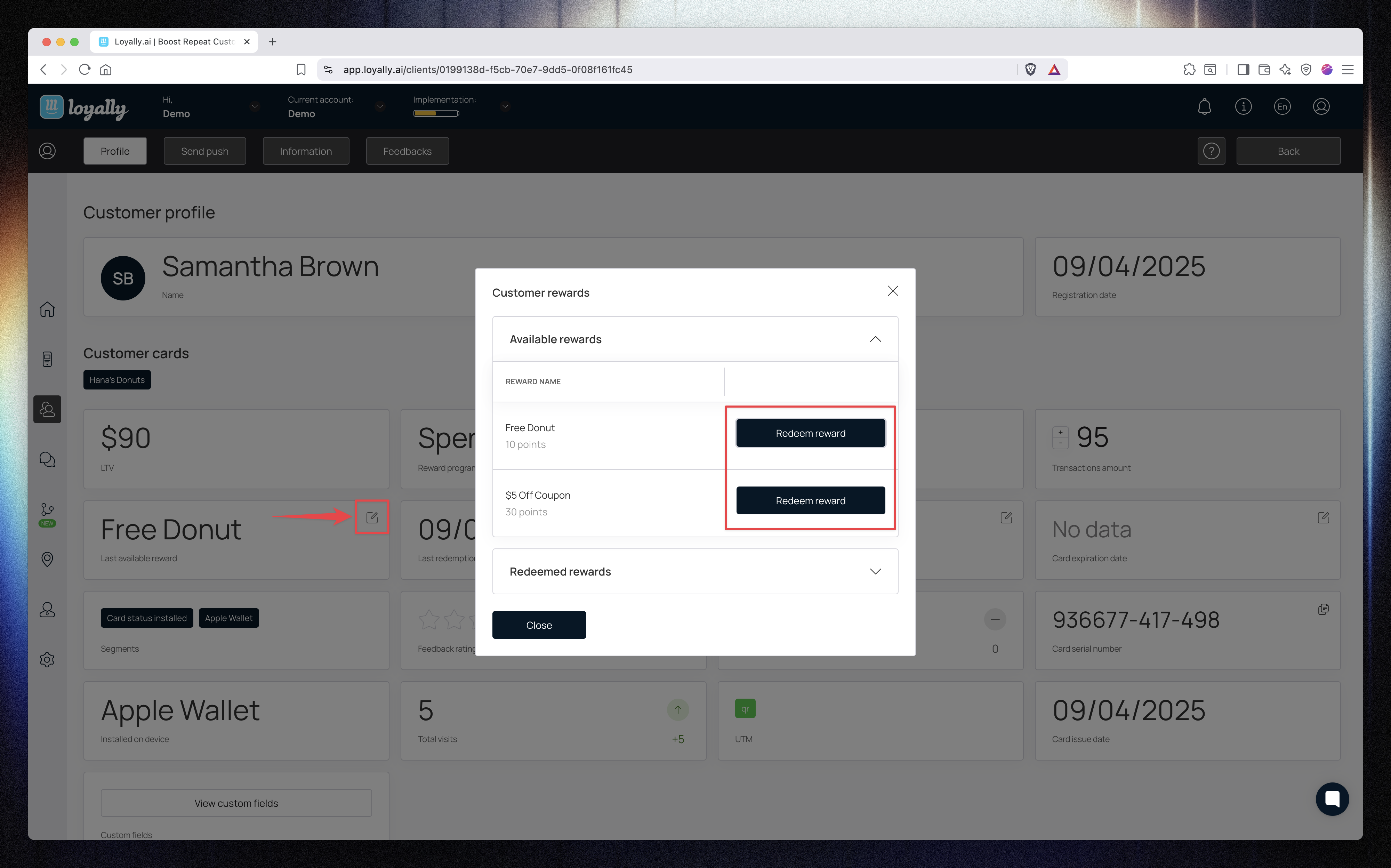
You can redeem available rewards directly from the customer’s profile.
Click the edit (✎) icon beside Rewards.
A popup will display all rewards the customer is eligible to redeem.
Select the desired reward(s) and click Redeem.
✅ The redeemed rewards will appear in the customer’s transaction history and reduce their available points accordingly.
Each transaction and adjustment is logged in the Event History table below the profile.
This helps you track how values and balances evolve over time.
Column | Description |
Transaction Amount | Shows the value spent during a specific transaction. |
Amount Column | Displays the number of points added or deducted (e.g., if 10 points expire, you’ll see “10”). |
Balance Column | Reflects the total cumulative transaction or points balance after each update. |
If two transactions were recorded (e.g., 150 + 200), the Balance column will show a total of 350.
The same logic applies to points — if two bonuses of 3,000 and 3,800 were recorded, the balance will display 6,800 points.
This makes it easy to track how each event impacts the customer’s overall loyalty standing.
The Customer Profile (Reward Card) in Loyally gives you precise control over how customer rewards are earned, adjusted, and redeemed.
You can manage points, track spending, and view every transaction — ensuring an accurate, transparent loyalty record for every customer.