This guide provides step-by-step instructions on how to connect your Stripe account to your Loyalty dashboard. Integrating Stripe allows you to process payments securely and seamlessly within your loyalty program.
Before beginning the setup process, ensure you have:
An active Stripe account.
Access to your Loyalty dashboard.
To connect the two platforms, you must first obtain your unique API keys from Stripe.
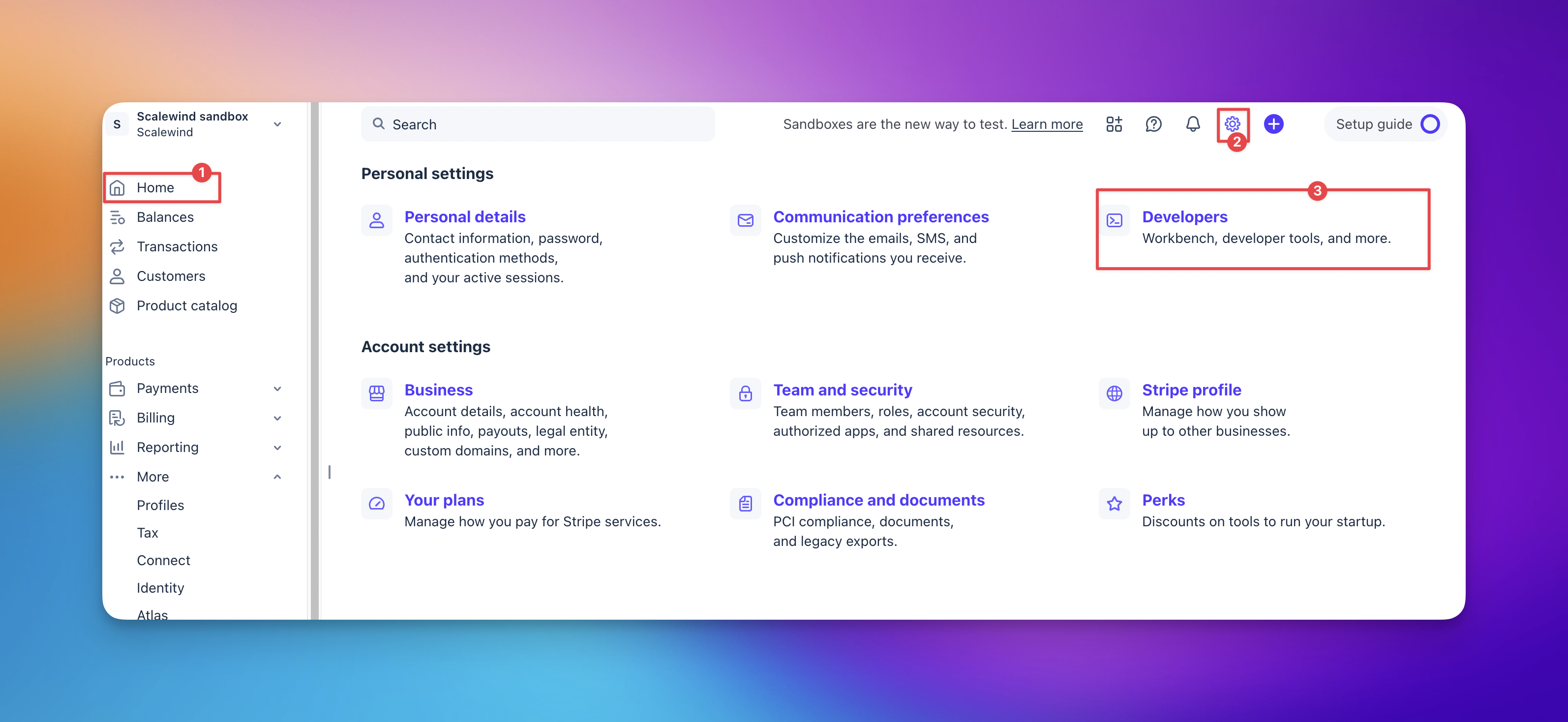
Sign into your Stripe dashboard.
Click on 'Settings' and navigate to the Developers section.
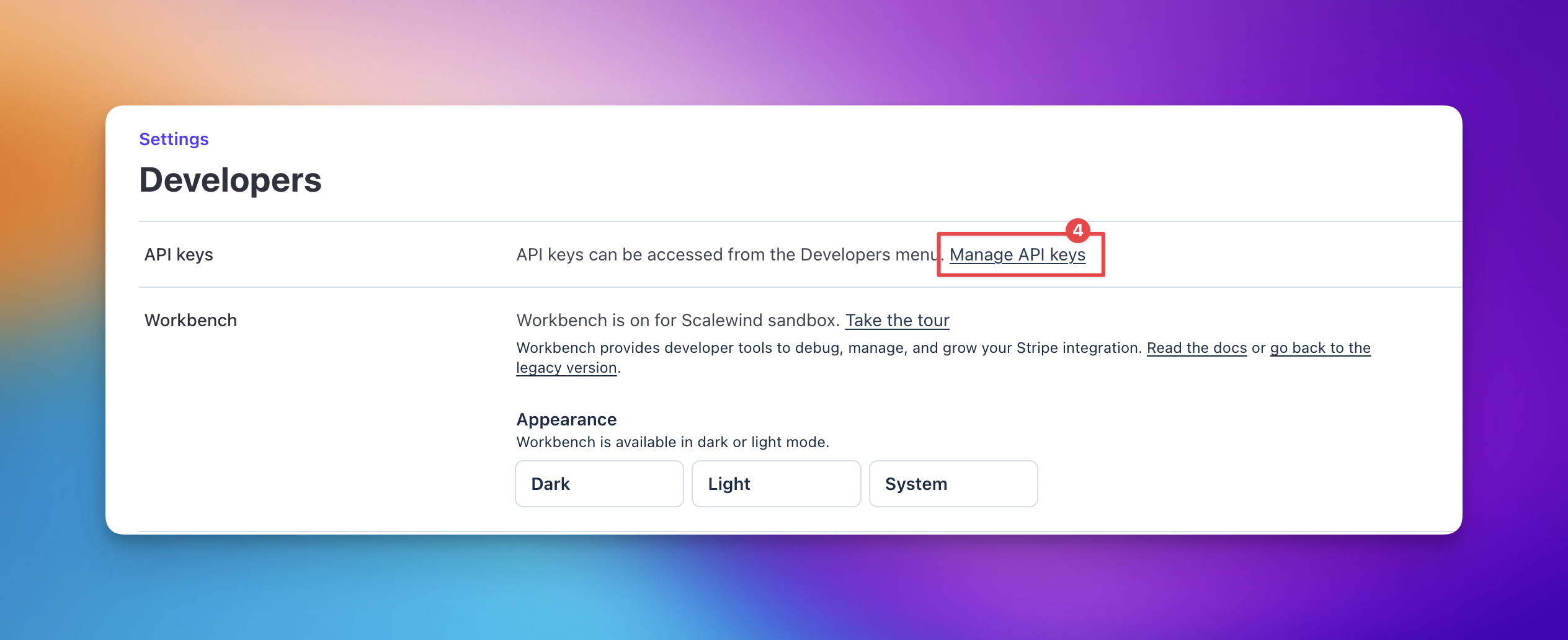
Select 'Manage API keys'.
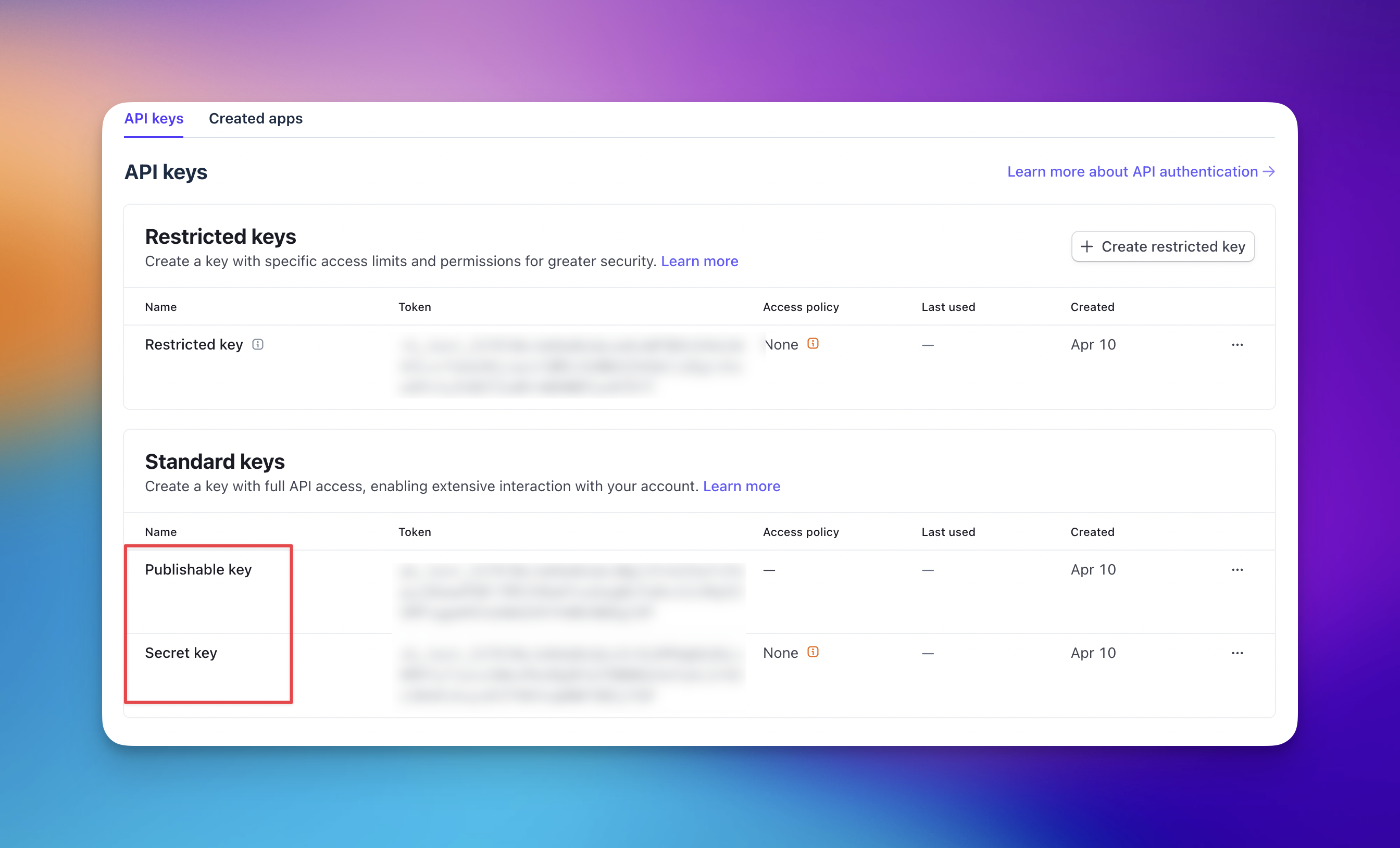
Locate and copy both the Publishable key and the Secret key. Keep these keys secure, as they are required for the next stage.


Once you have copied your keys, you need to input them into your loyalty program settings.
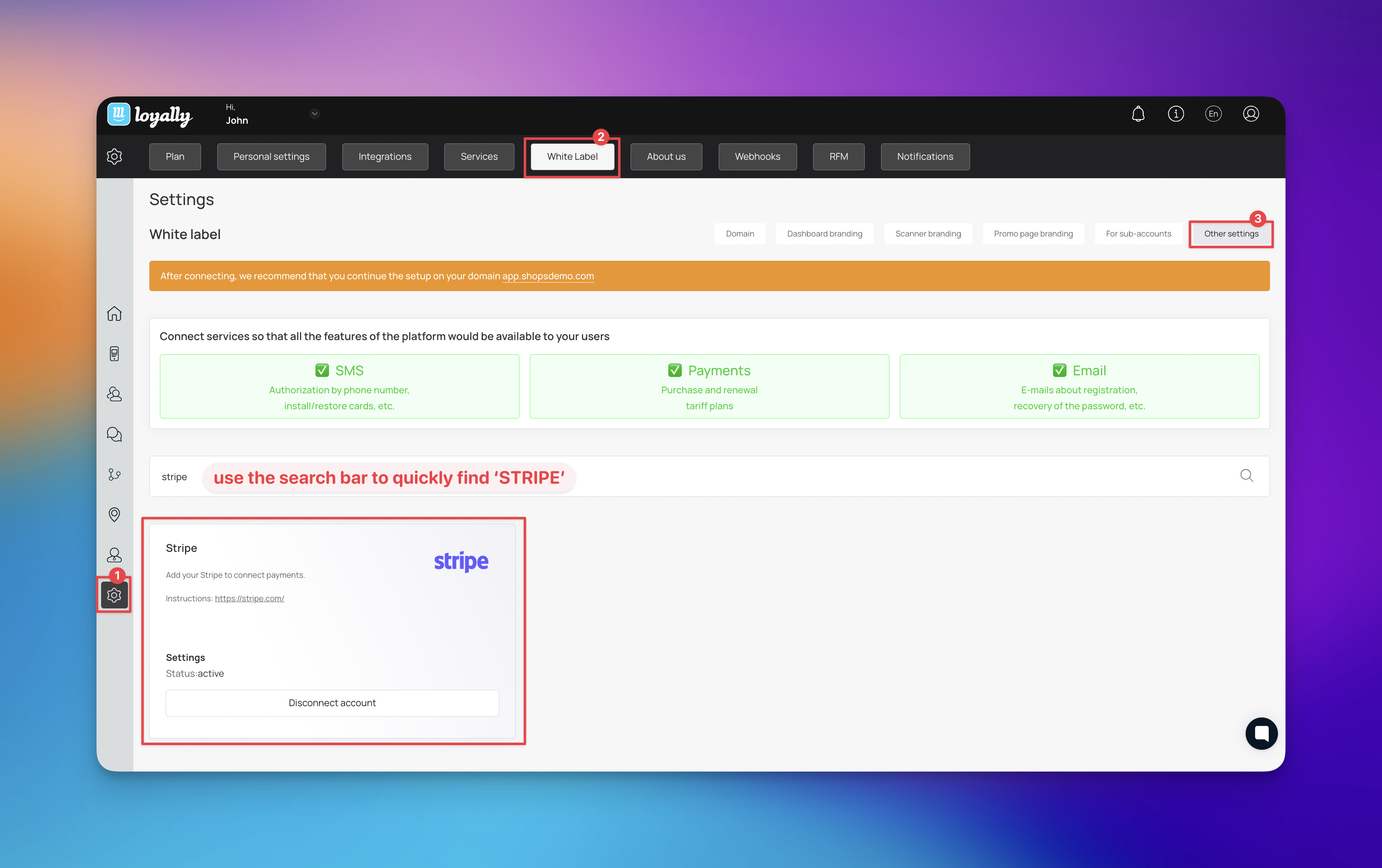
Log into your Loyalty dashboard and navigate to 'Settings'.
Select the 'White Label' tab.
Choose 'Other settings' from the sub-menu.
Scroll down to the Stripe section and click 'Connect account'.
Paste your Publishable key and Secret key into the corresponding required fields.
After entering the keys, complete the setup by saving your changes. A confirmation message will appear in the upper right corner of your screen once the connection is successful.

If you do not see the confirmation message or payments fail to process, consider the following:
Invalid API Keys: Ensure there are no leading or trailing spaces in the keys you pasted.
Restricted Keys: Verify that you are using 'Standard keys' rather than 'Restricted keys' unless you have specifically configured the latter for this integration.
Account Permissions: Ensure your Stripe user profile has 'Administrator' or 'Developer' permissions to access API keys.
Connecting Stripe to your loyalty program offers several advantages for your business operations:
Automated Renewals: Seamlessly handle recurring subscription payments for premium loyalty tiers.
Unified Reporting: View all transaction data within your Stripe dashboard for easier accounting and reconciliation.
Enhanced Security: Leverage Stripe's PCI-compliant infrastructure so you never have to handle sensitive card data directly.
Integrations
See how the integrations work