Use the Progressive Web App (PWA) method only when Google Wallet or Apple Wallet installation isn’t possible. This method is best if:
The customer’s device doesn’t support Google Wallet.
Google Wallet isn’t available in the customer’s country.
The customer prefers not to use a wallet app.
The PWA option installs the loyalty card as a web app directly on the customer’s home screen — providing easy access similar to a native app.
Go to app.Loyally.ai > 'Cards' > Choose a card to 'Open'
Choose Installation Method:
Scan QR Code: Customers scan the generated QR code.
OR
Direct Link: Share the generated link to install.
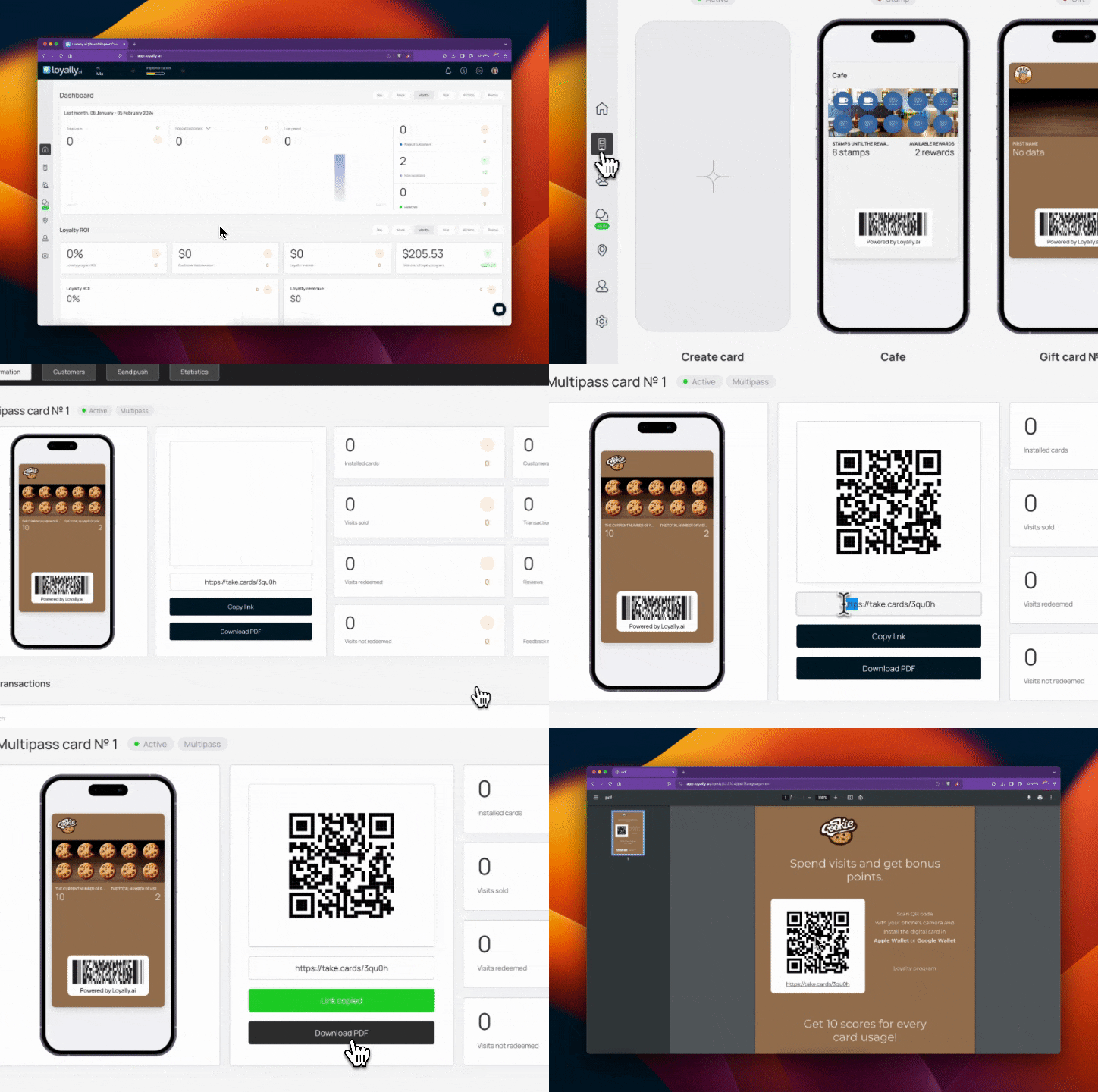
Once opened, the customer completes the short form with:
First Name
Last Name
Contact Number
Tap 'Install on the Home screen' > 'Enable' to receive notifications > 'Install' to finalize.
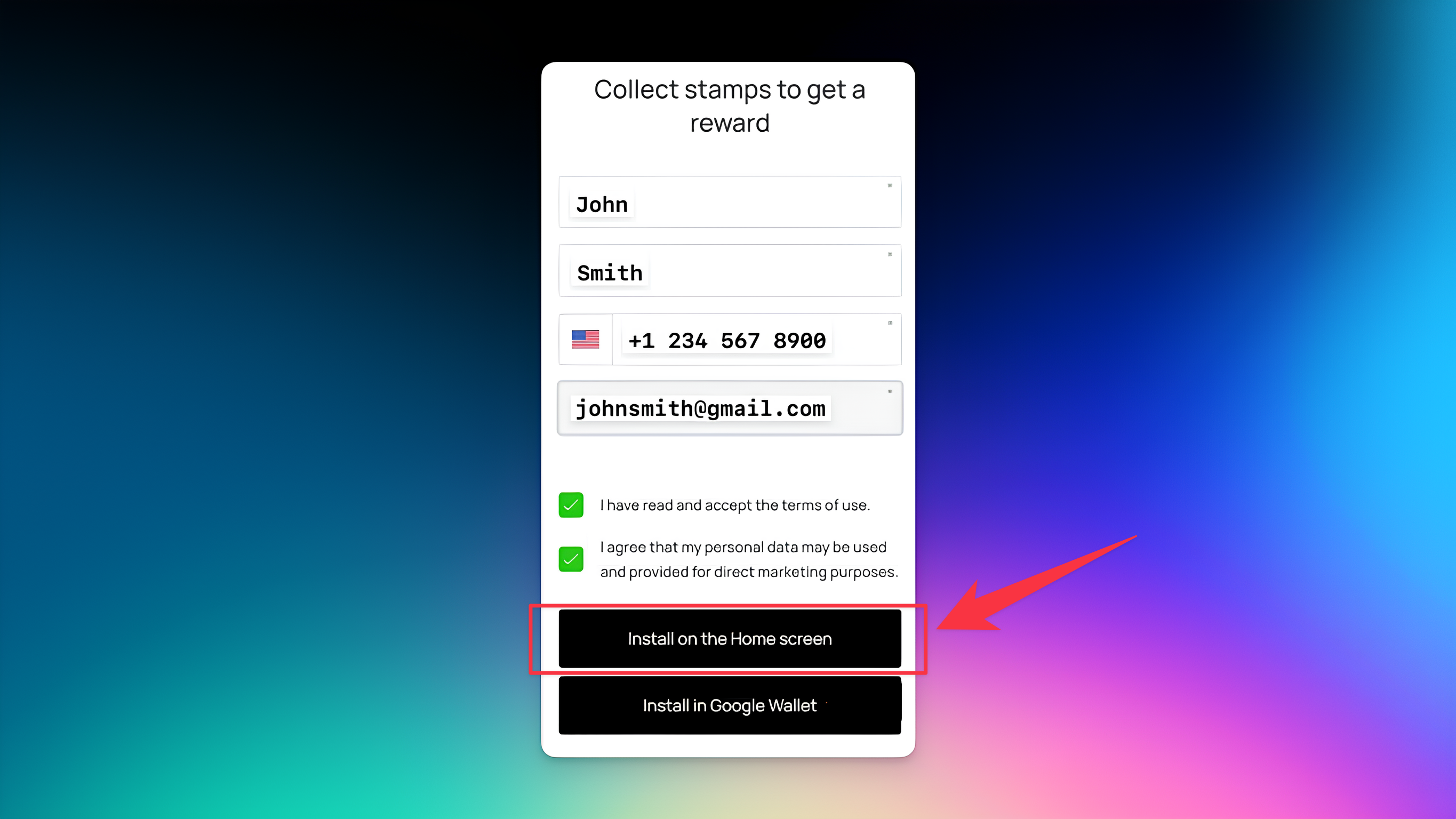
After these steps, the loyalty card will appear as a Progressive Web App (PWA) on the customer’s home screen — ready for quick access anytime.


On Android devices, installing the loyalty card via Google Wallet should be the first choice — it provides the most seamless, native experience.
Use the PWA method only when Google Wallet or Apple Wallet isn't supported in the customer’s country, or when the customer prefers a browser-based option.
Install Loyalty Card on iPhone (iOS) - Apple Wallet
Learn how to install a digital loyalty card in Apple iOS devices
Install Loyalty Card on Android - Google Wallet
Learn how to install a digital loyalty card on Android devices via Google Wallet