Maintaining a healthy loyalty program requires regular "data hygiene." Over time, your dashboard may accumulate inactive users, outdated promotional groups, or segments created by mistake. Deleting these unnecessary segments is a vital step in keeping your analytics accurate and ensures your marketing efforts are focused on active, high-value customers.
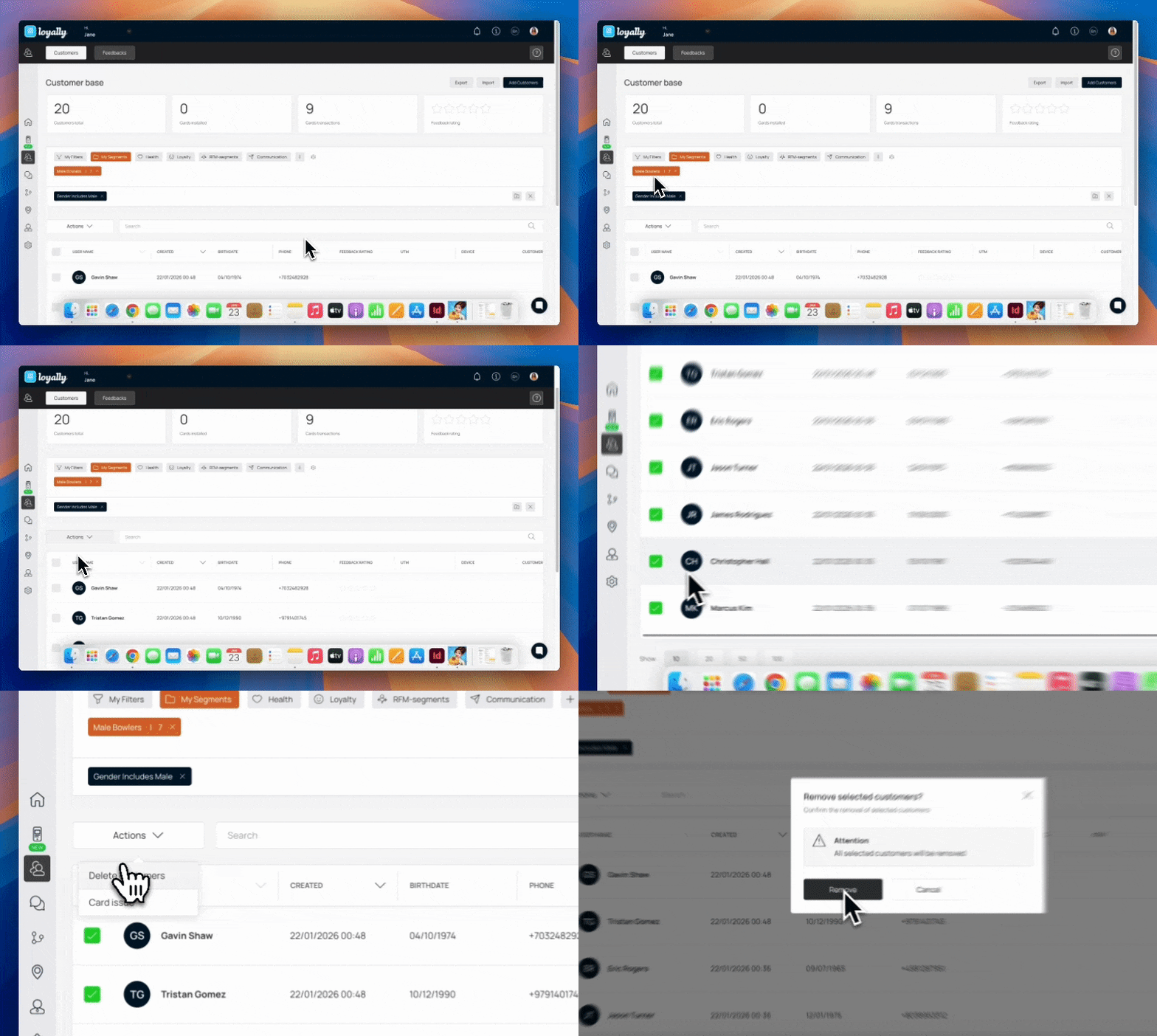
Access your account by entering your credentials at the Loyally.ai login portal.
Locate the main menu panel on the left side of your screen. Click on the ‘Customers’ to open your user management area.
Within the Customers view, select the “My Segments” option. Choose the specific segment type you wish to delete from the dropdown or list to filter your view.
To target the entire segment, click the “checkbox” located next to the My Username column header) This will highlight all customers currently visible in that filtered segment.
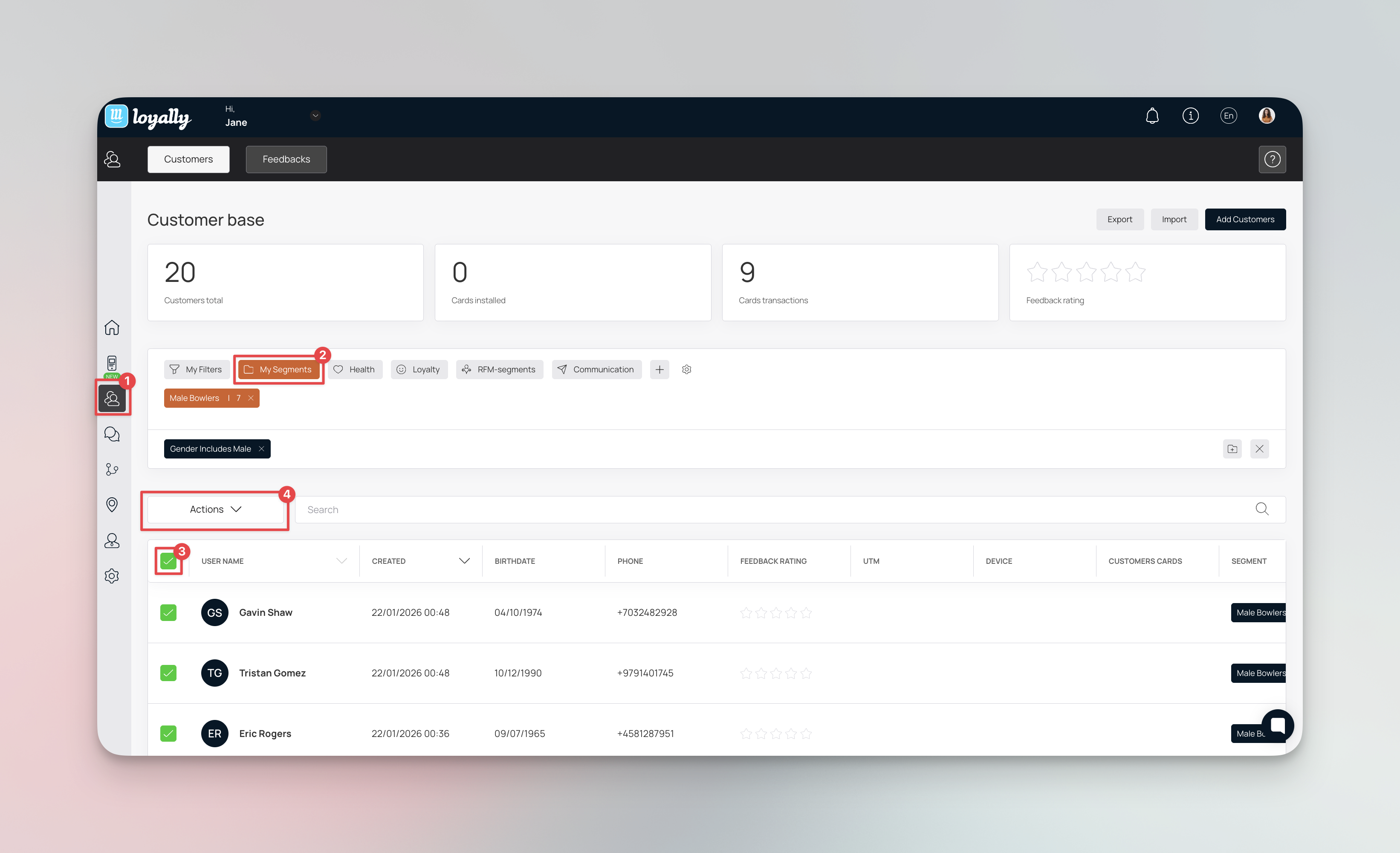
Click the ‘Actions’ button, typically located next to the search bar.
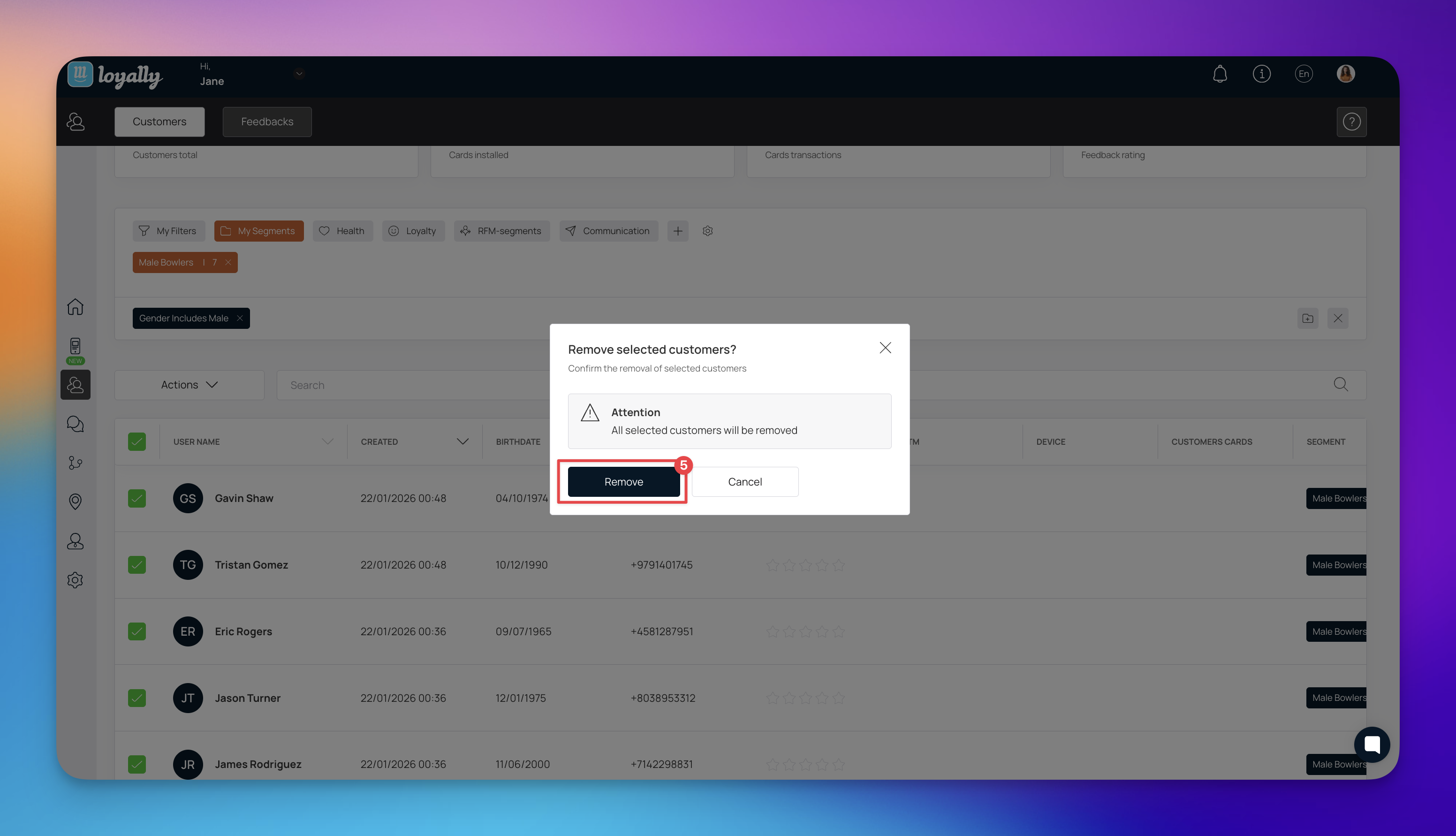
Select Delete Customers from the dropdown menu. A confirmation prompt may appear so confirm your choice to finalize the removal.

Export Data First: If you think you might need this customer data for future marketing audits, export the segment to a CSV file before hitting delete.
Verify Filters: Double-check that the "My Segments" filter is active so you don't accidentally delete your entire customer base.
Cost Efficiency - Many platforms charge based on the number of managed profiles; deleting inactive segments saves money.
Cleaner Analytics - Removing users who no longer engage with your brand gives you a more honest look at your program’s performance.
Data Compliance - Deleting old or unconsented data helps your business adhere to global privacy laws like GDPR.
Customer Filters and Segmentation
Segment and understand your customer base
What is RFM Segmentation?
RFM Segmentation in Loyally.ai