As a business owner using Loyally AI, you know that the secret to a high-performing loyalty program is making every customer feel like your only customer. While our platform provides built-in segments to get you started, the real magic happens when you use the custom segments you’ve built yourself.
If you want to be very specific with your loyalty card distribution strategy, using these tailored lists ensures your rewards hit the mark every time.Follow these steps to set up and send your targeted mailing.
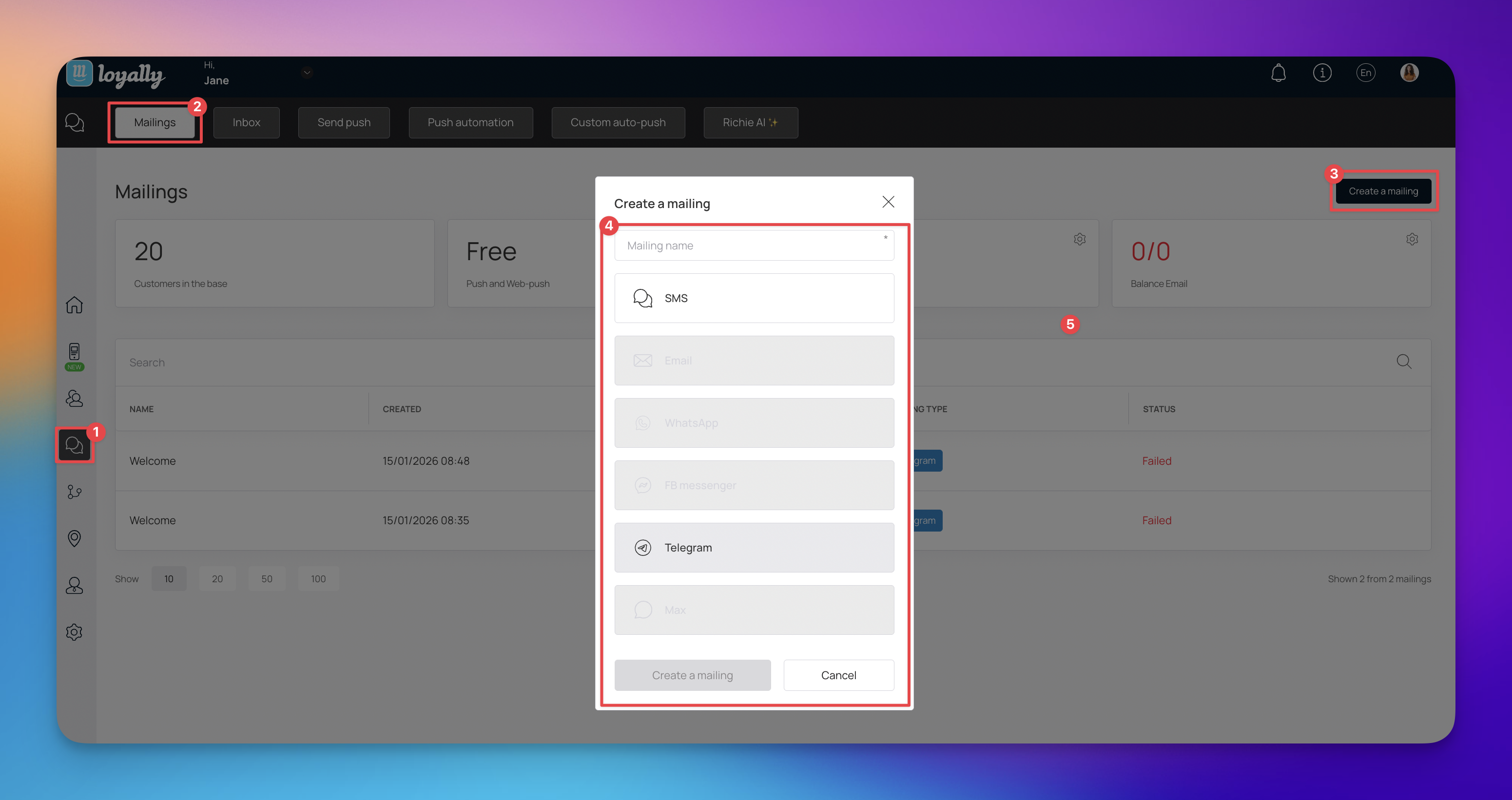
Navigate to the main menu panel on the left side of your dashboard and click on ‘Mailings’ to open the distribution area.
On the Mailings dashboard, locate and click the “Create a mailing” button found in the top far right corner of the screen.
Enter a name for your mailing to keep your records organized. Then, select your preferred distribution method (such as Telegram, WhatsApp, or SMS) and click the “Create a mailing” button to proceed.
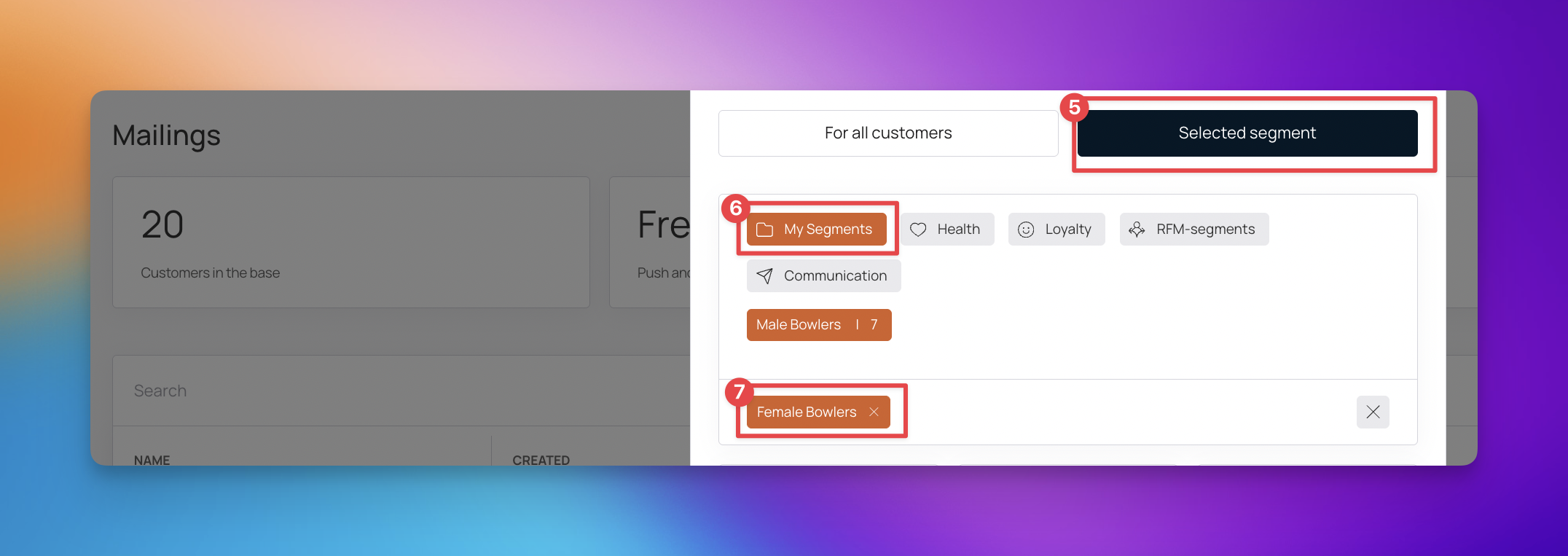
Within the mailing editor, locate and click the “Selected segment” button to define your audience.
Select “My Segments” and choose from the existing customer segments you have previously created to determine who will receive your loyalty card.
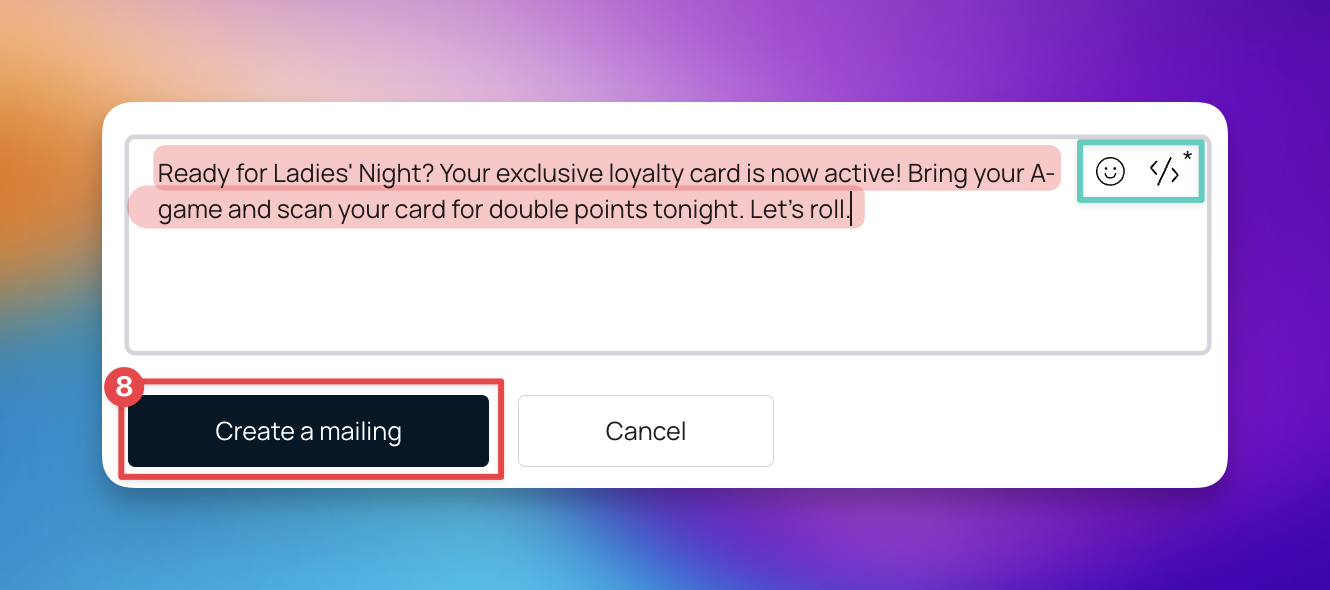
Write your message in the provided field. You can include links and icons to make the notification more engaging for your customers.
Carefully review your message, segment, and schedule. Once everything is correct, click “Create mailing” to finish and send your distribution.

While the ready-made segments provided by Loyally.ai offer a great starting point, creating your own Customized Customer Segments allows for a higher level of precision in your marketing. By using custom segments, you can:
Tailor Rewards to Specific Behaviors: Target customers based on unique spending habits or specific product interests that are exclusive to your business.
Localized Campaigns: Group customers by specific locations or branches to send region-specific offers.
Enhanced Personalization: Speak directly to a niche group, such as "Weekend Shoppers" or "Holiday Enthusiasts," making your notifications feel more personal and less like a generic blast.
Improved Conversion: Highly targeted messages typically see higher open rates and better engagement than broad distributions to general lists.
Card Distribution - Online
Distribute your loyalty cards online via the different channels
Card Distribution - Offline
Distribute your loyalty card offline in the local store