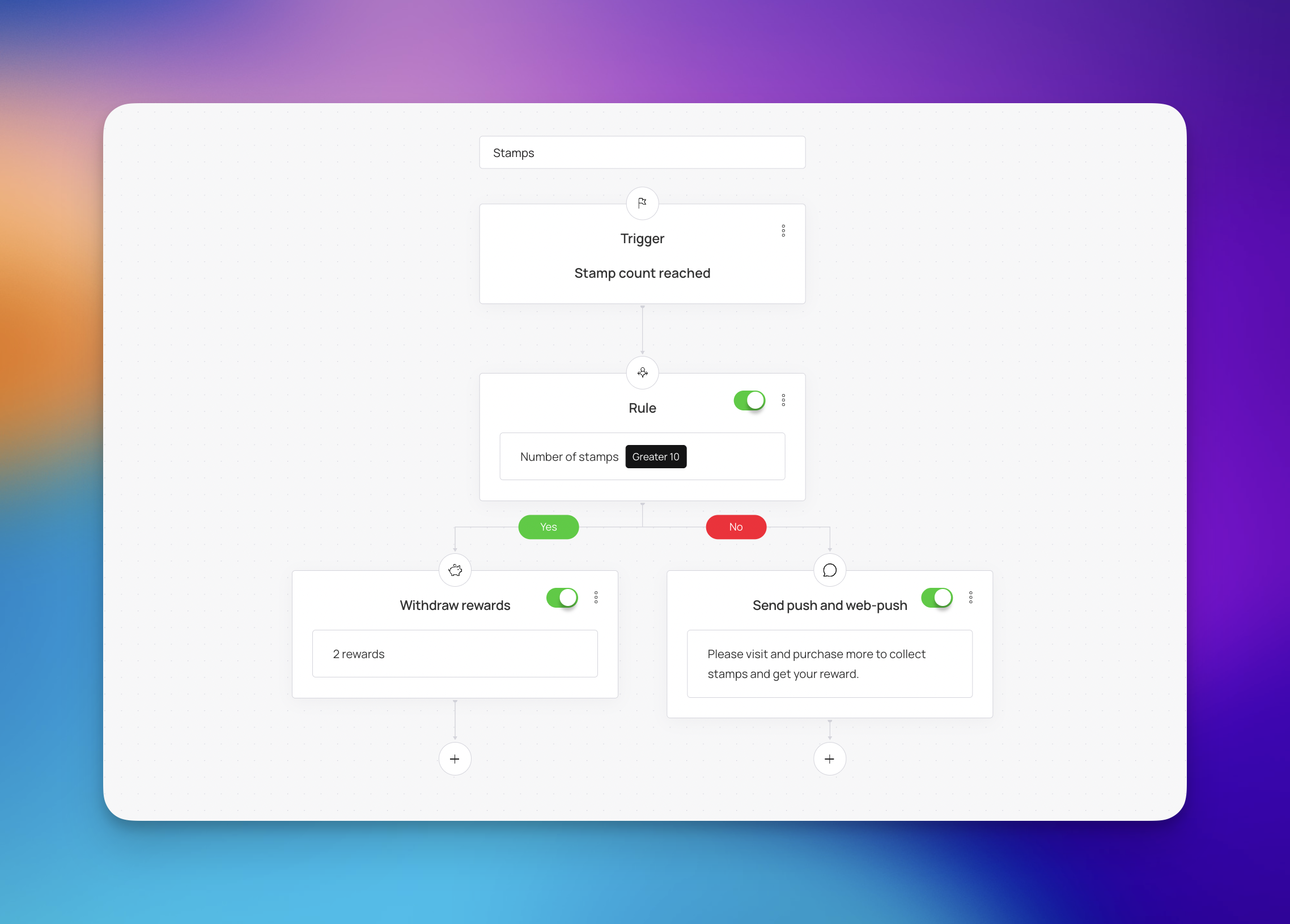
Automations in Loyally are workflows that automatically handle repetitive loyalty tasks like sending messages and rewarding milestones so your program stays consistent and personalized without manual work.
Instead of manually checking customer data and sending emails one by one, you can set up predefined rules that trigger actions based on specific customer behaviors or timeframes.

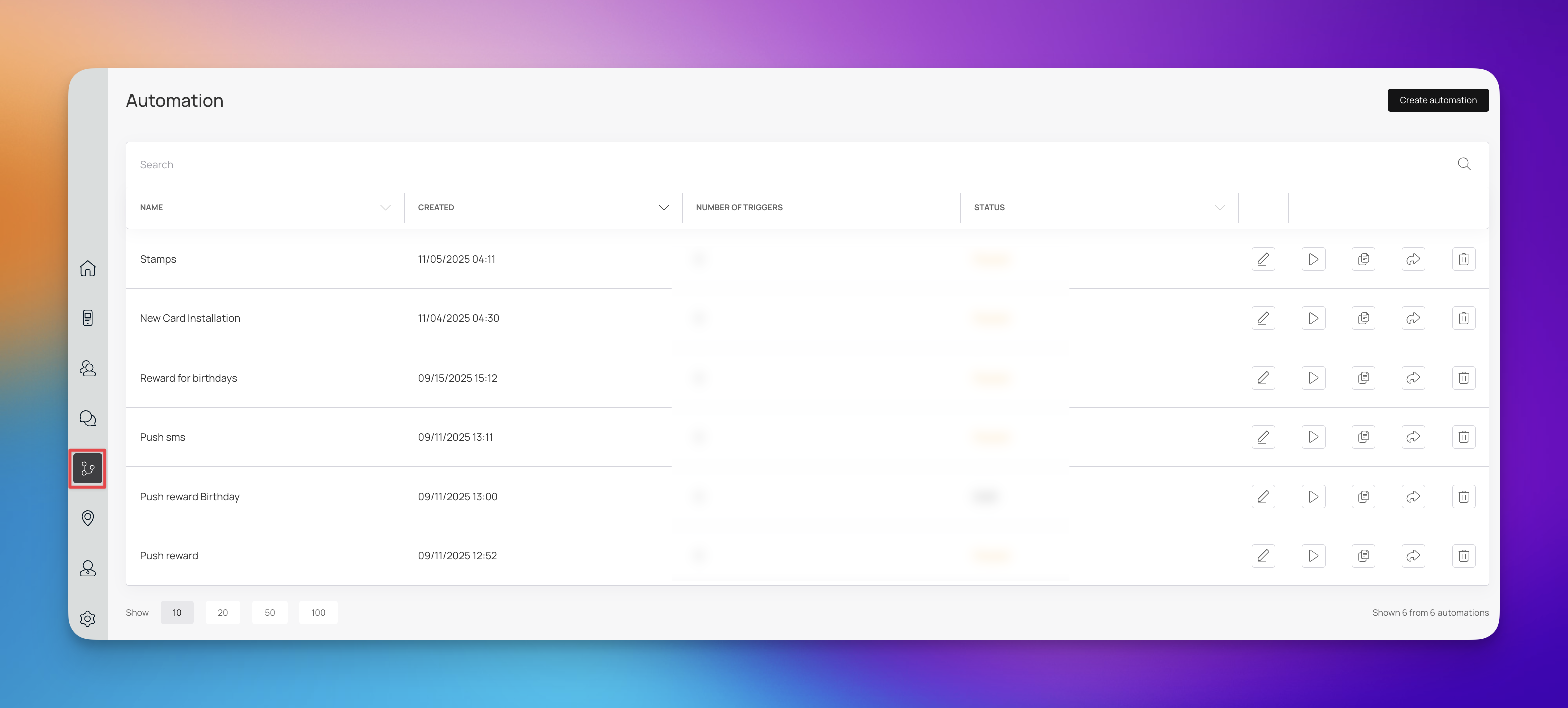
To view and manage your automated workflows, follow these steps:
Log in to your account at loyally.ai.
Locate the main navigation menu on the screen.
Click on the Automations tab.
This will bring you directly to the automation dashboard, where you can create new automations, edit existing ones, or monitor their performance.
Automations keep your loyalty program consistent, responsive, and personalized while saving time for your staff. Here are common ways to use them:
1. Welcoming New Members
Automatically send a welcome message or a sign-up bonus coupon as soon as a customer joins your program. This creates an immediate positive interaction.
2. Rewarding Milestones
Reward members automatically when they reach specific point milestones (e.g., 500 points) or tier levels (e.g., moving from Silver to Gold).
Example: A coffee shop rewards a customer with a free pastry automatically when they reach 100 points.
3. Re-engaging Inactive Customers
Set up a rule to trigger a special offer or "we miss you" message to customers who haven't made a purchase or engaged with the loyalty program in a set number of days.
4. Behavior-Based Reminders
Deliver targeted offers based on customer behavior.
Example: If a customer has a coupon that is about to expire, automatically send a reminder email.
To get the most out of your loyalty automations, follow these best practices:
Keep Messages Personalized: Use customer names and reference their specific behavior to make the automation feel personal, not robotic.
Set Clear Goals: Define what you want the automation to achieve (e.g., increase repeat purchase rate, boost engagement) before setting it up.
Test Before Launching: Always test your workflows to ensure the trigger works correctly and the customer receives the right message or reward.
Monitor and Optimize: Regularly review the performance of your automations. If a re-engagement email isn't working, tweak the timing or the offer.
How to Create an Automation in Loyally
Set up automations in Loyally to trigger personalized messages, rewards, and workflows based on customer behavior — keeping your loyalty program running smoothly and efficiently.
Push automation
Automate specific push notifications sent to customers