Managing your business finances efficiently requires quick and easy access to your billing documentation. Loyally.ai provides a streamlined billing experience by offering multiple ways to access your financial history.
You can view your past transactions directly within the platform or utilize our secure partnership with Stripe for a more detailed breakdown of your account activity.
This guide will walk you through both methods to ensure you can find and download your documents whenever you need them.
This is a direct way to view your current and past invoices while managing your subscription details.
Steps to follow:
Log in to your Loyally.ai account.
From the dashboard, click on 'Settings'.
Select the 'Plan' tab.
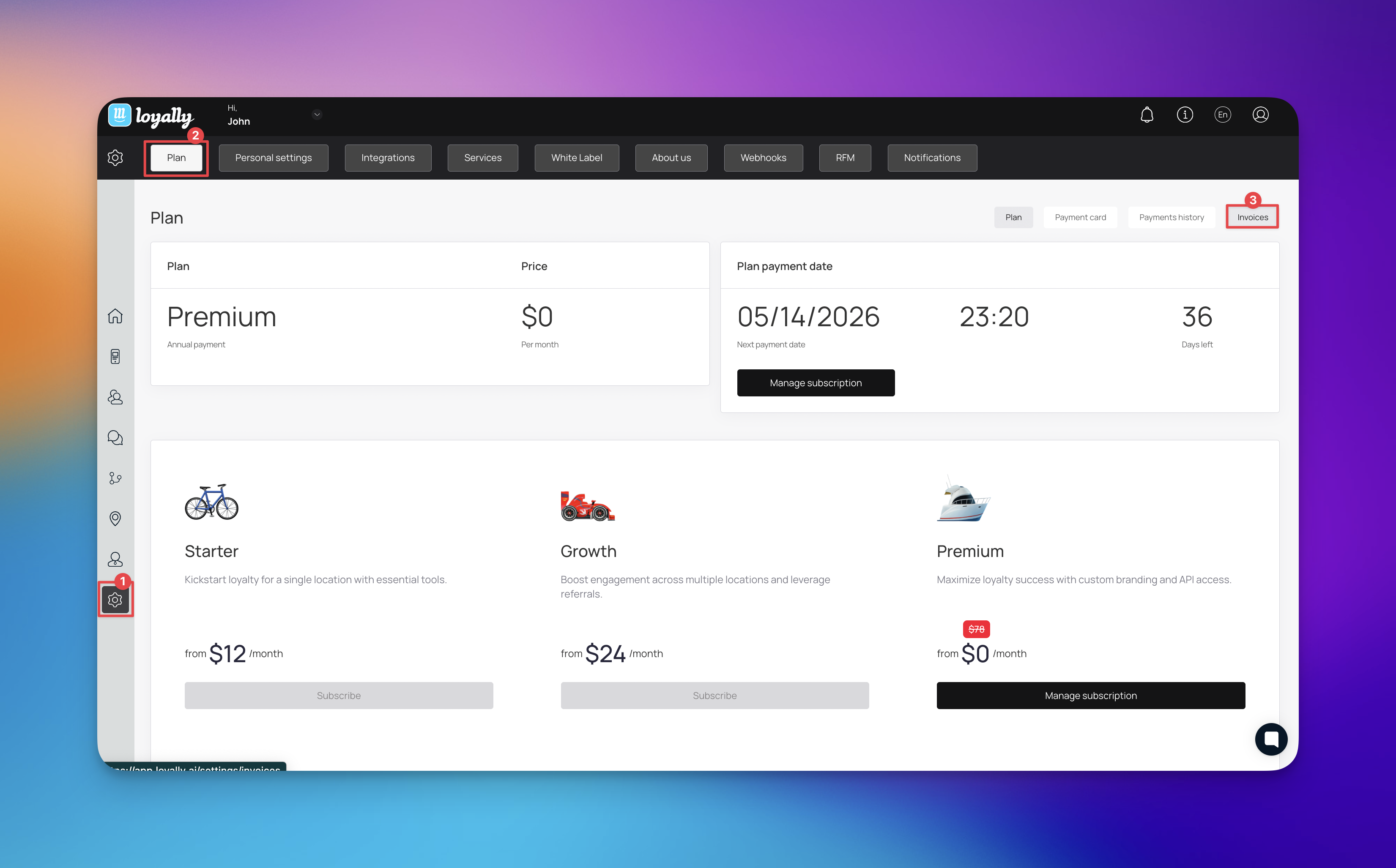
Click on 'Invoices'.
A list of your billing history will appear, where you can view or download specific receipts.
Loyally partners with Stripe for simplified billing. You can access a detailed invoice history through their secure portal.
Steps to follow:
Log in to your Loyally.ai account.
Navigate to 'Settings'.
Select the 'Plan' tab.
Click on 'Manage subscription'.
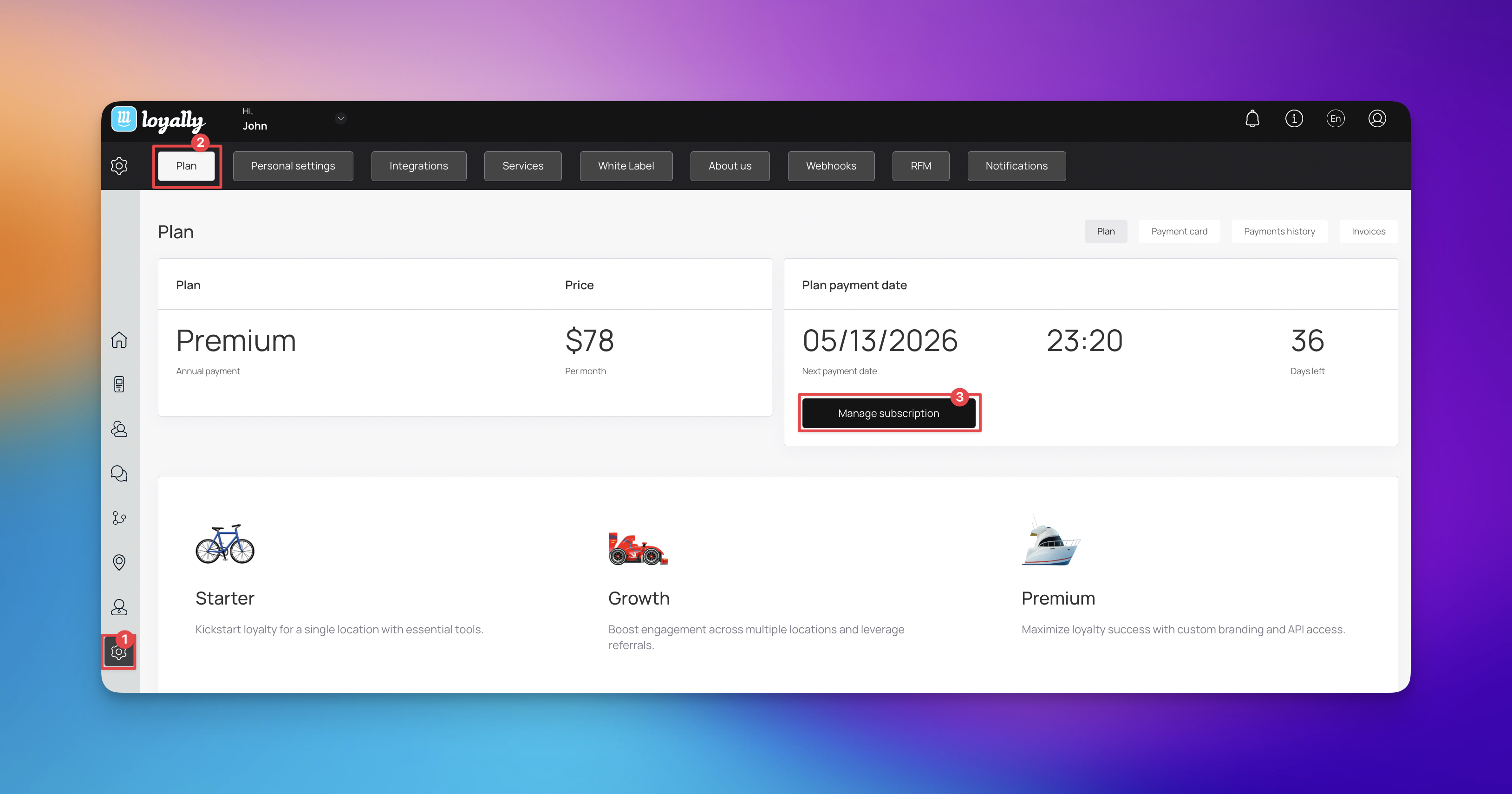
You will be redirected to the Stripe Billing Portal.
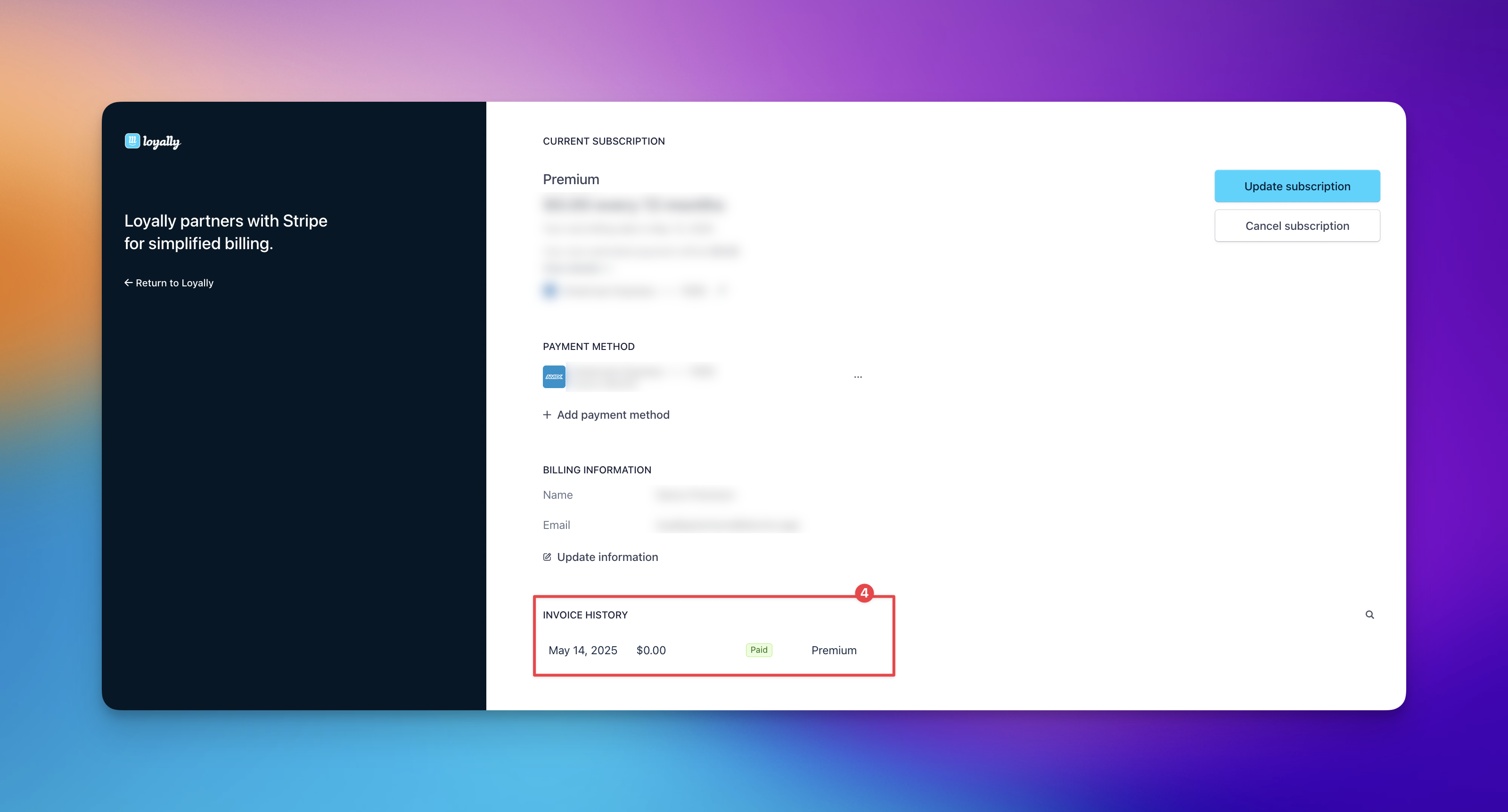
Locate the INVOICE HISTORY section to view or download your invoice/s.

Missing Invoices: If you don't see a recent charge, it may still be processing. Wait 24 hours for the system to generate the final receipt.
Update Billing Info: To change the details appearing on your invoice, click 'Update information' within the Stripe Billing Portal before downloading your next document.
How to Manage Your Subscription
Easily upgrade, downgrade, update, or cancel plan through your account Plan settings.
Personal Settings
See how you can tweak personal settings