You can create a Telegram Bot to send automated loyalty messages, updates, and notifications to your customers directly in Telegram. Follow these steps to create and connect your bot with Loyally.
Open the Telegram app (mobile or desktop).
Search for @BotFather — this is the official Telegram bot used to create and manage other bots.
Open the chat with BotFather.
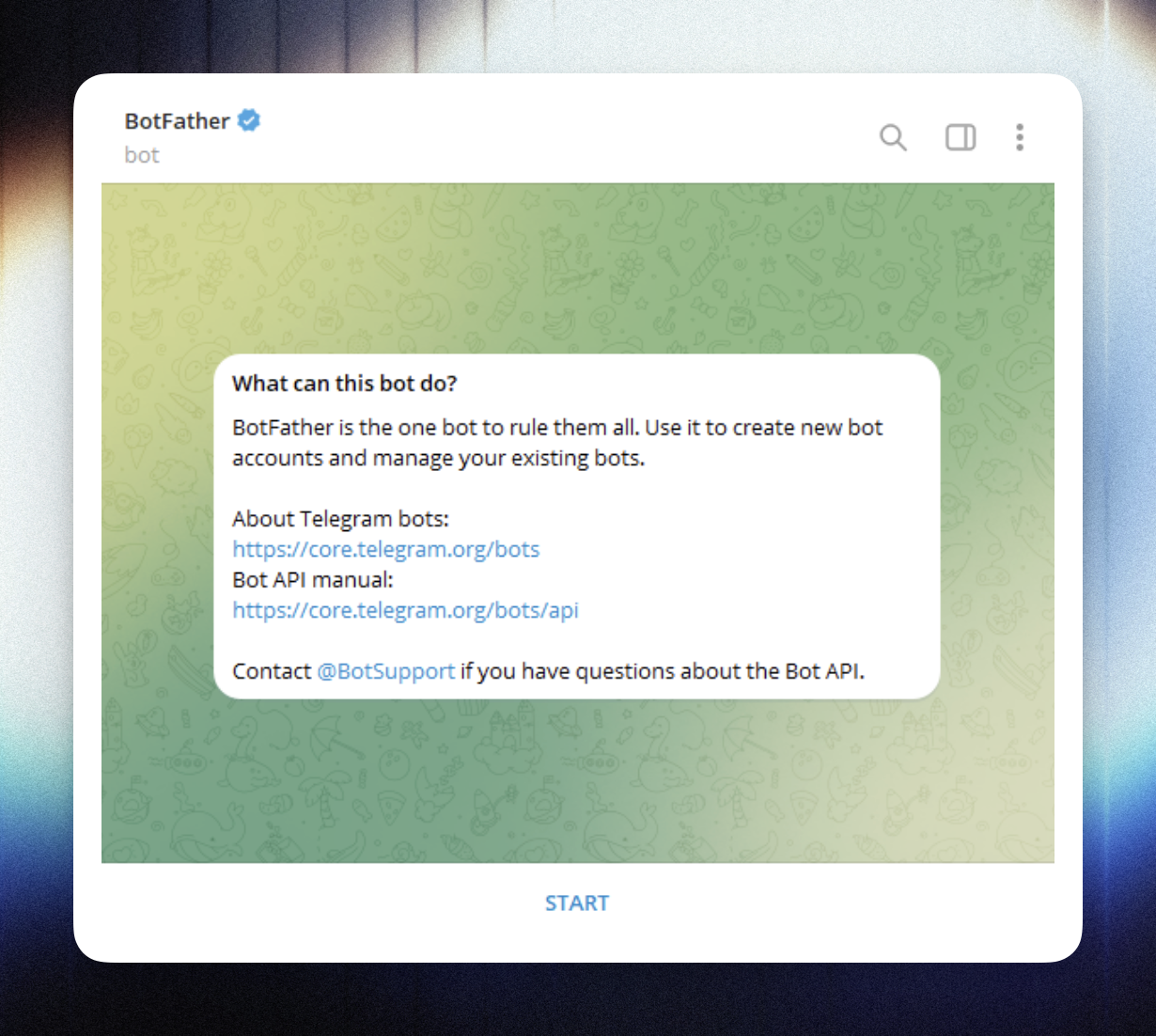
In your BotFather chat, type the command:
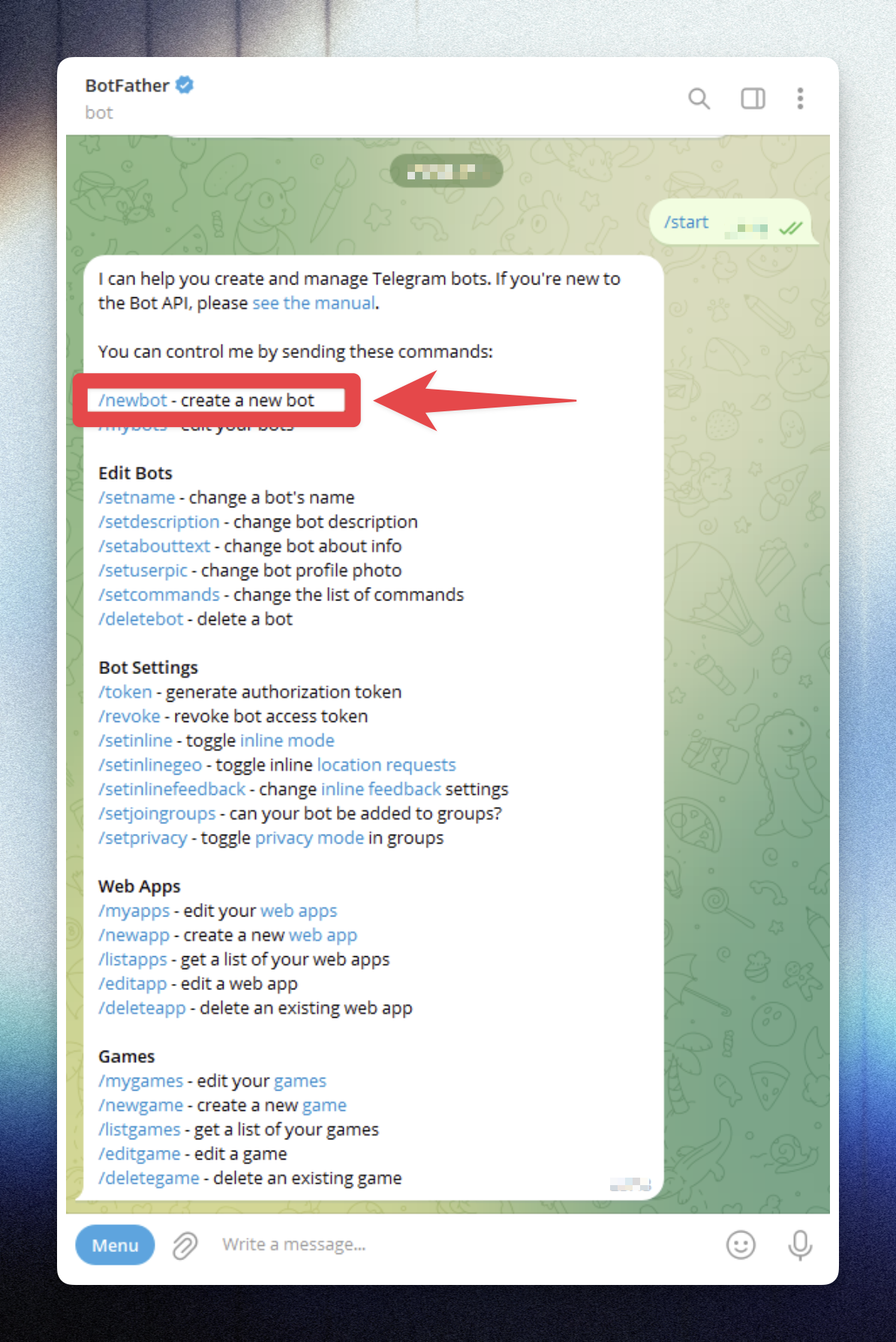
/startThen create a new bot by sending:
/newbotBotFather will guide you through the setup process.
Enter a name for your bot — this is the display name users will see (you can change it later).
Example: Loyally Rewards Assistant
Enter a username for your bot — this must be unique and must end with “bot”.
Example: LoyallyRewardsBot or MyStore_bot
After you finish the setup, BotFather will send you a message that includes your API Token.
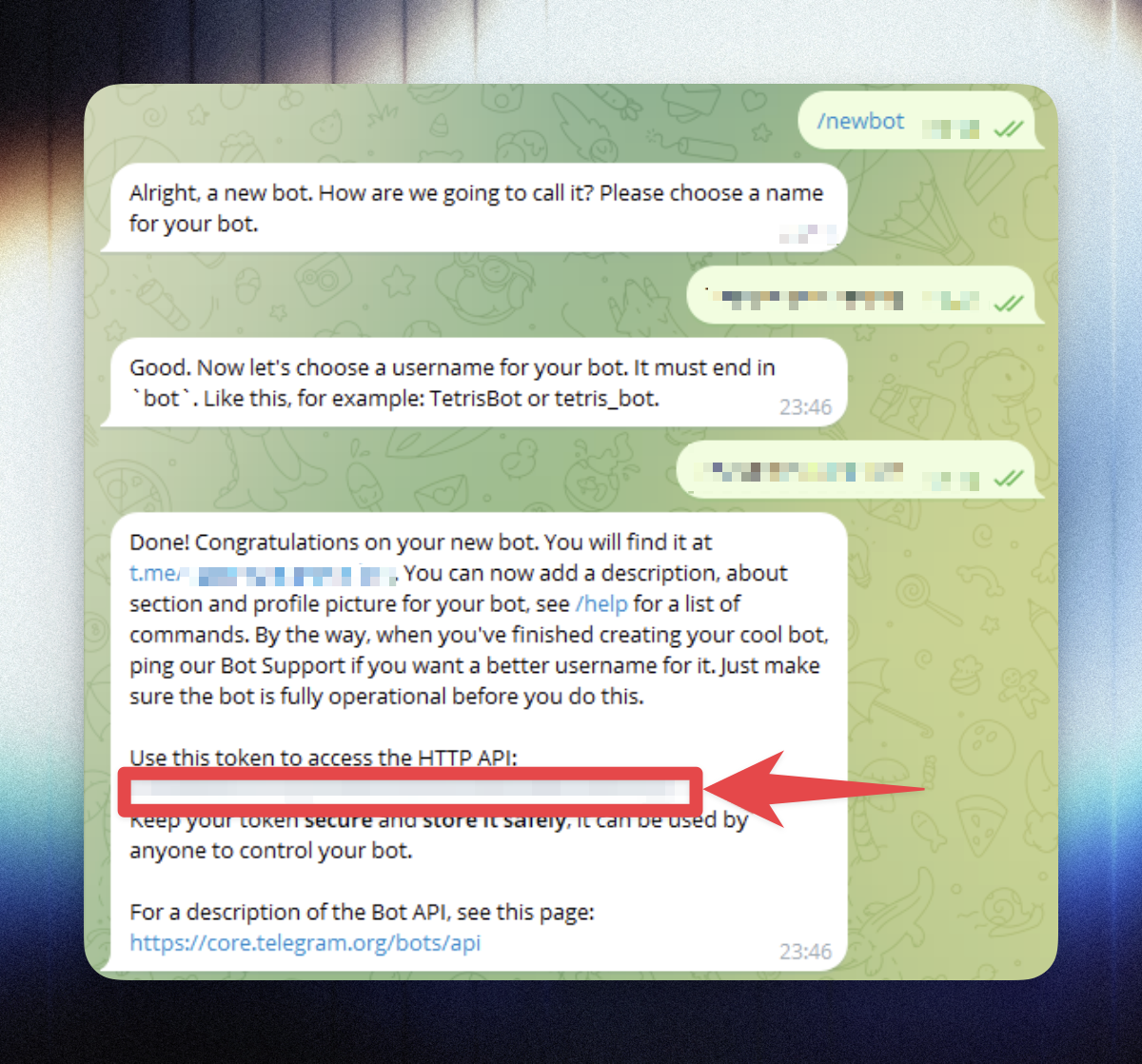
This token allows you to connect your Telegram bot to Loyally.
Keep it private — anyone with this token can control your bot.

/revoke in BotFather.Log in to your Loyally Dashboard.
Navigate to Settings → Services.
Click Connect Telegram Bot.
Paste the API Token you received from BotFather.
Click Connect to link the bot.
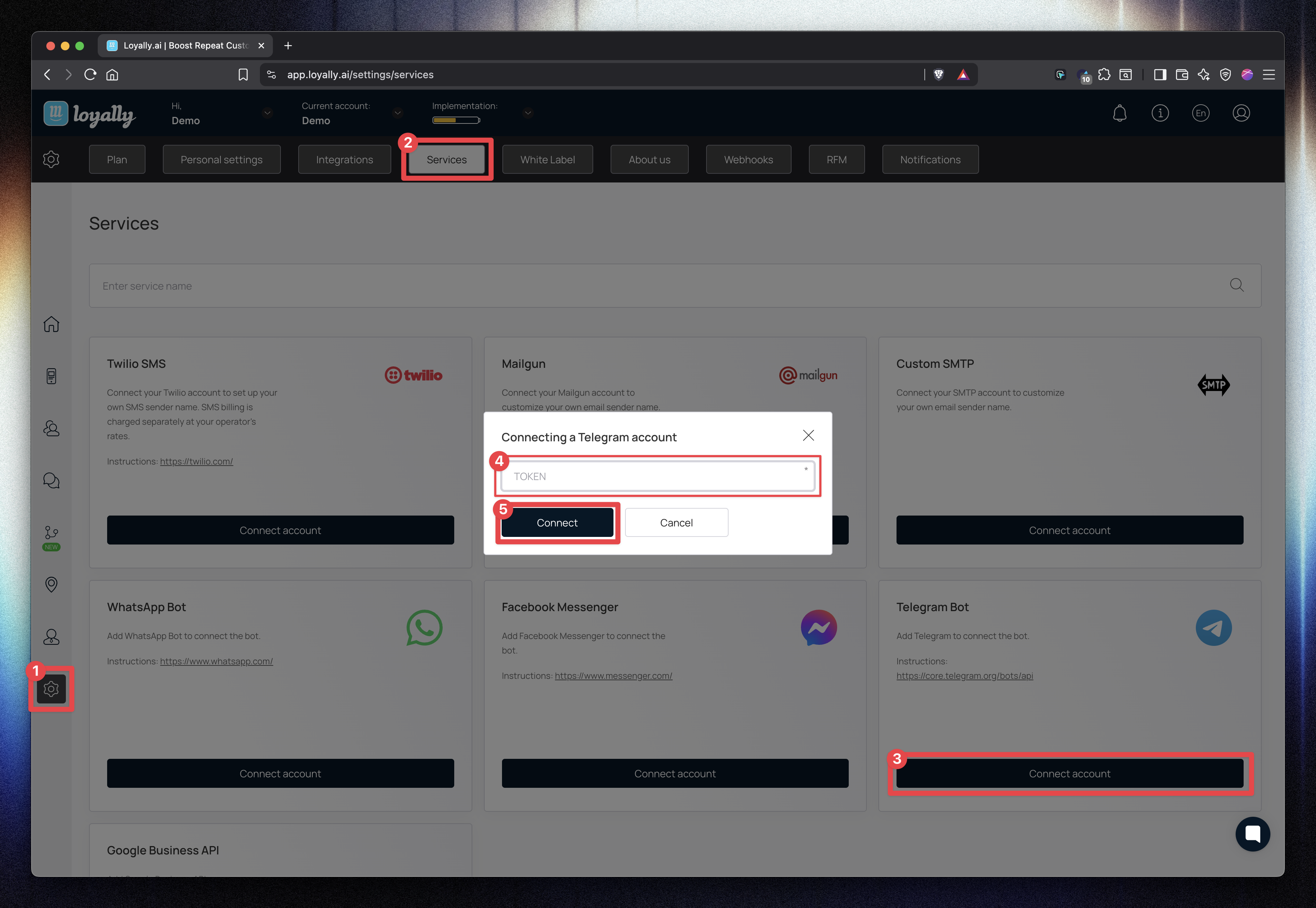
✅ Once connected, your Telegram Bot will appear as “Connected” in the settings page.
You can now use it for Automations, Campaigns, and Customer Notifications inside Loyally.
You’ve successfully created and connected a Telegram Bot with Loyally.
Your bot can now automatically send loyalty updates, reminders, and promotional messages to your customers directly in Telegram.

Error | Cause | Workaround |
Invalid Token | Extra spaces in the text or using an expired/revoked API key. | Carefully copy the full string from BotFather and ensure no spaces are included at the start or end. |
Bot Not Sending Messages | The customer has not yet initiated a conversation with the bot. | Telegram requires users to click Start in the chat first. Include a direct link to your bot in your marketing materials. |
Username Unavailable | The chosen username is already being used by another Telegram user or bot. | Usernames must be globally unique. Try adding your brand’s location or a specific suffix like |
Connection Failed | Temporary server timeout between Loyally and Telegram. | Refresh your Loyally dashboard and attempt to paste the token again after 60 seconds. |
Integrations
See how the integrations work
How to Connect WhatsApp to Loyally
Integrate WhatsApp with Loyally to send automated messages, updates, and promotions directly to your customers — using one of the world’s most popular messaging platforms.