Using Loyally.ai, you can move beyond general broadcasts and send personalized emails to specific groups of customers. This ensures your messaging is relevant to the right audience.
The Mailings feature in Loyally.ai is designed to give you full control over how and to whom you send your communications. Rather than sending a generic message to everyone, you can choose specific delivery channels and target precise customer segments.
Navigate to the ‘Mailings’ tab in your main dashboard open the management overview.
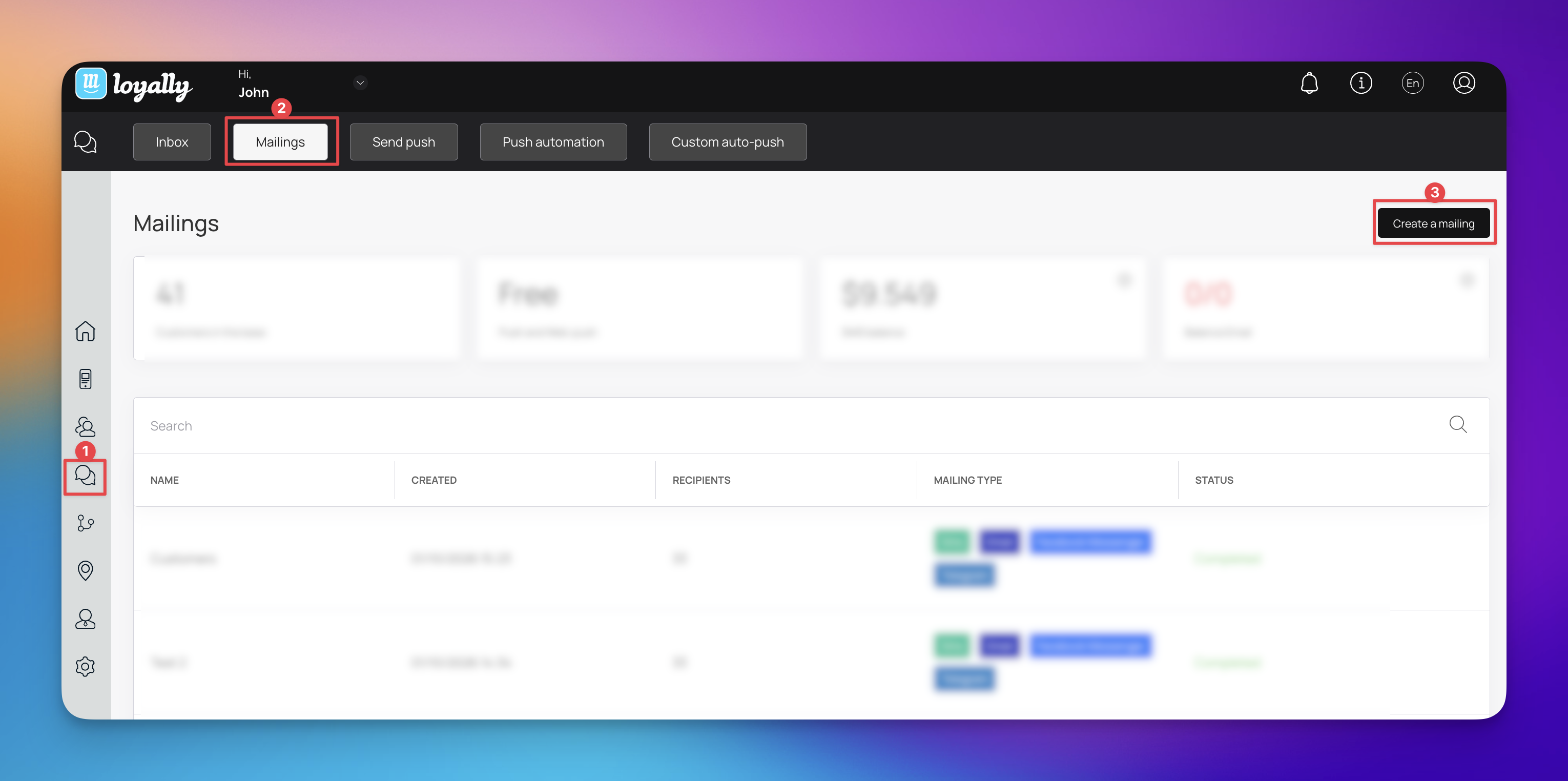
Click the ‘Mailings’ icon and select the ‘Create a mailing’ button.
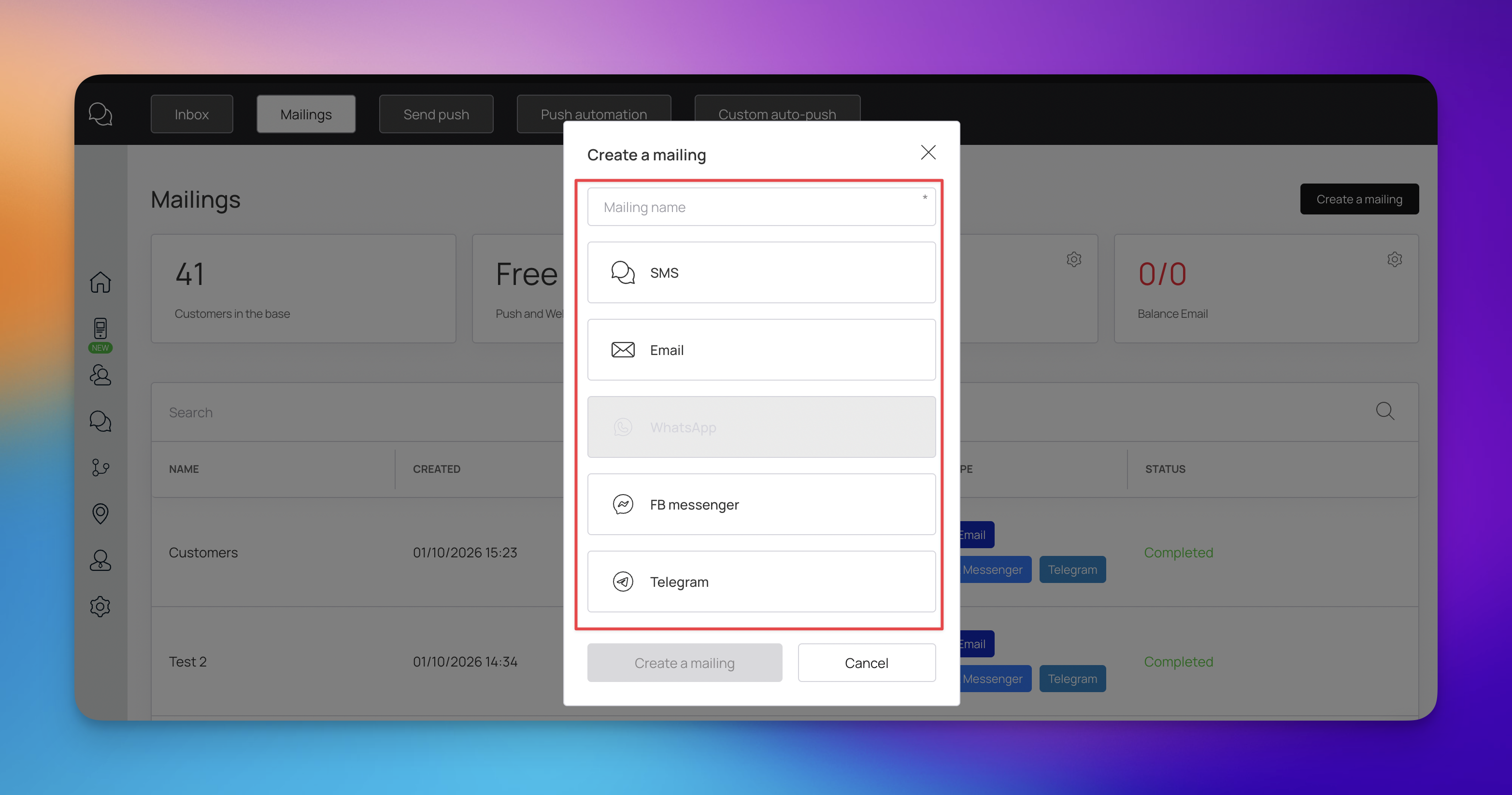
When the creation window appears, you can choose one or multiple channels for your message:
SMS
FB Messenger
Telegram
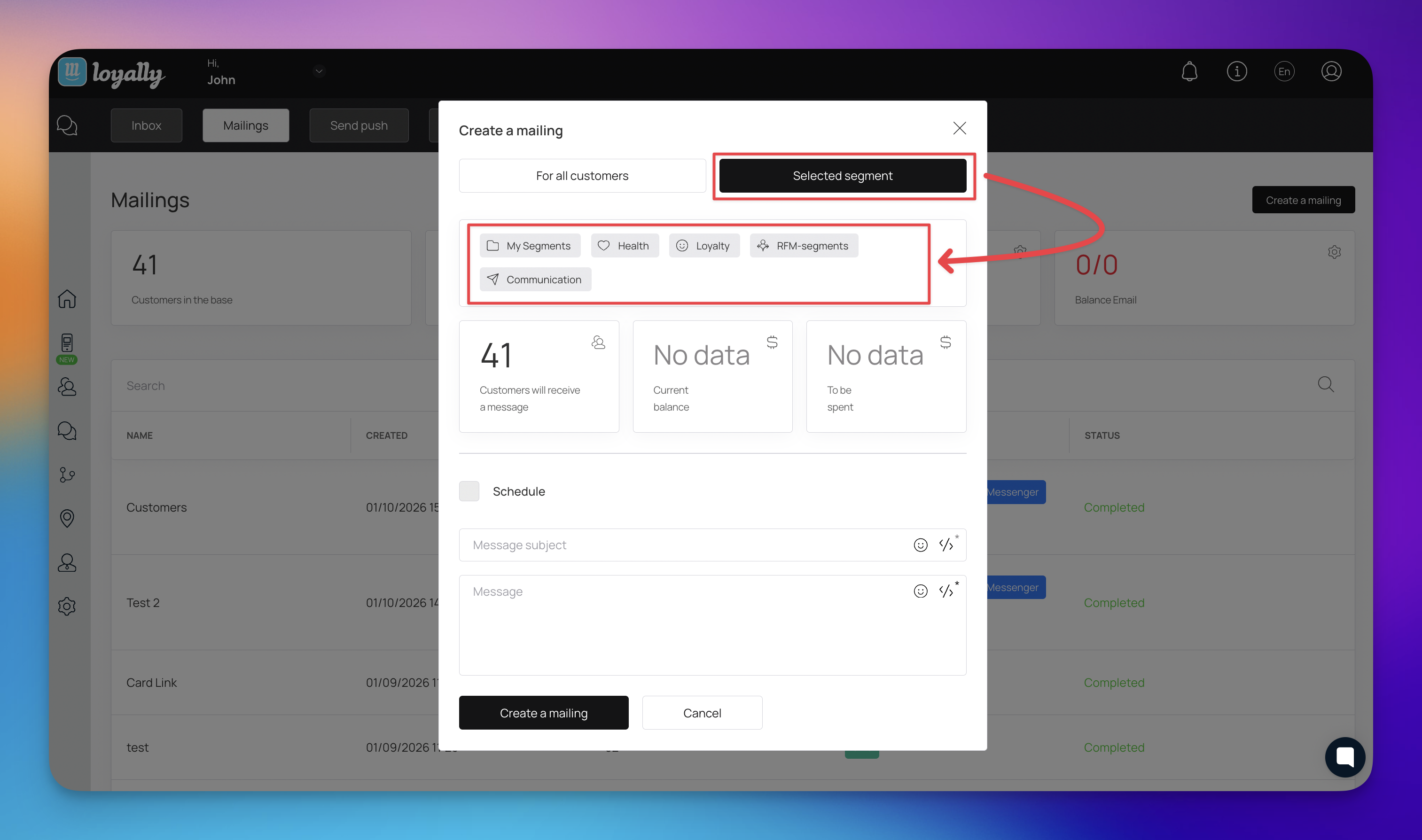
3. Target a Specific Customer Segment -To ensure your message reaches the right people:
Click the "Selected segment" tab at the top of the window.
Select your desired segment (e.g., "Birthdays in the next 30 days") from your database.
The dashboard will automatically display the number of customers in that group, along with their total balance and time spent, so you can verify your reach.

4. Compose and Personalize Your Message - Once your channels and audience are selected, you can draft your content:
Message Subject: Enter a clear subject line. You can include links and emojis here to make the message stand out.
Message: Type your main message.
Dynamic Variables: Click the 'Link icon to insert personalized variables. This allows the system to automatically fill in the Customer Name, Brand Name, or a Card Installation Link unique to each recipient.
5. Review and Create Mailing - Once you are satisfied with the configuration, click the ‘Create a Mailing’ button to finalize the process and send your communication to the selected segment.
If you are targeting the "Birthdays in the next 30 days" segment, here is a sample of how that message might look:
Subject: A birthday treat for {{Customer Name}}!
Message: Hi {{Customer Name}},
Your birthday is coming up, and we want to celebrate with you!
We’ve added a special gift to your {{Brand Name}} account to help you kick off your month. You can find your reward and check your balance at the link below:
{{Card Installation Link}}
Enjoy your special day!
Best, The {{Brand Name}} Team
To maximize the impact of your mailings, keep these strategies in mind:
Personalize Heavily: Use the {{Customer Name}} variable in the first sentence. A message that starts with a name is much more likely to be read than one that starts with "Dear Customer."
Create Urgency: If you are sending a reward or discount, mention that it is available for a limited time. This encourages customers to take action sooner.
Be Concise: Especially for SMS and Messenger, keep your text brief. State the value clearly and provide the link immediately.
Test Your Timing: For birthday segments, sending the message 7–30 days in advance is ideal. It gives the customer time to plan their visit to your business.
Monitor Your Reach: Before hitting send, always check the "Total Balance" and "Time Spent" metrics shown in the segment tab. If the numbers look lower than expected, double-check your segment filters.
Clear Call to Action: Ensure your {{Card Installation Link}} stands out. Tell the customer exactly why they should click it—for example, "Tap here to claim your gift."
How to Distribute Cards Based on Manually Created Customer Segments?
Sending Targeted Rewards to Your Manually Created Customer Segments
What is RFM Segmentation?
RFM Segmentation in Loyally.ai
Marketing Push
Push Section