The “Failed Sending” status in your campaign details indicates that a message was unable to reach a specific recipient. This article will help you identify the cause of these failures and provide steps to resolve them.
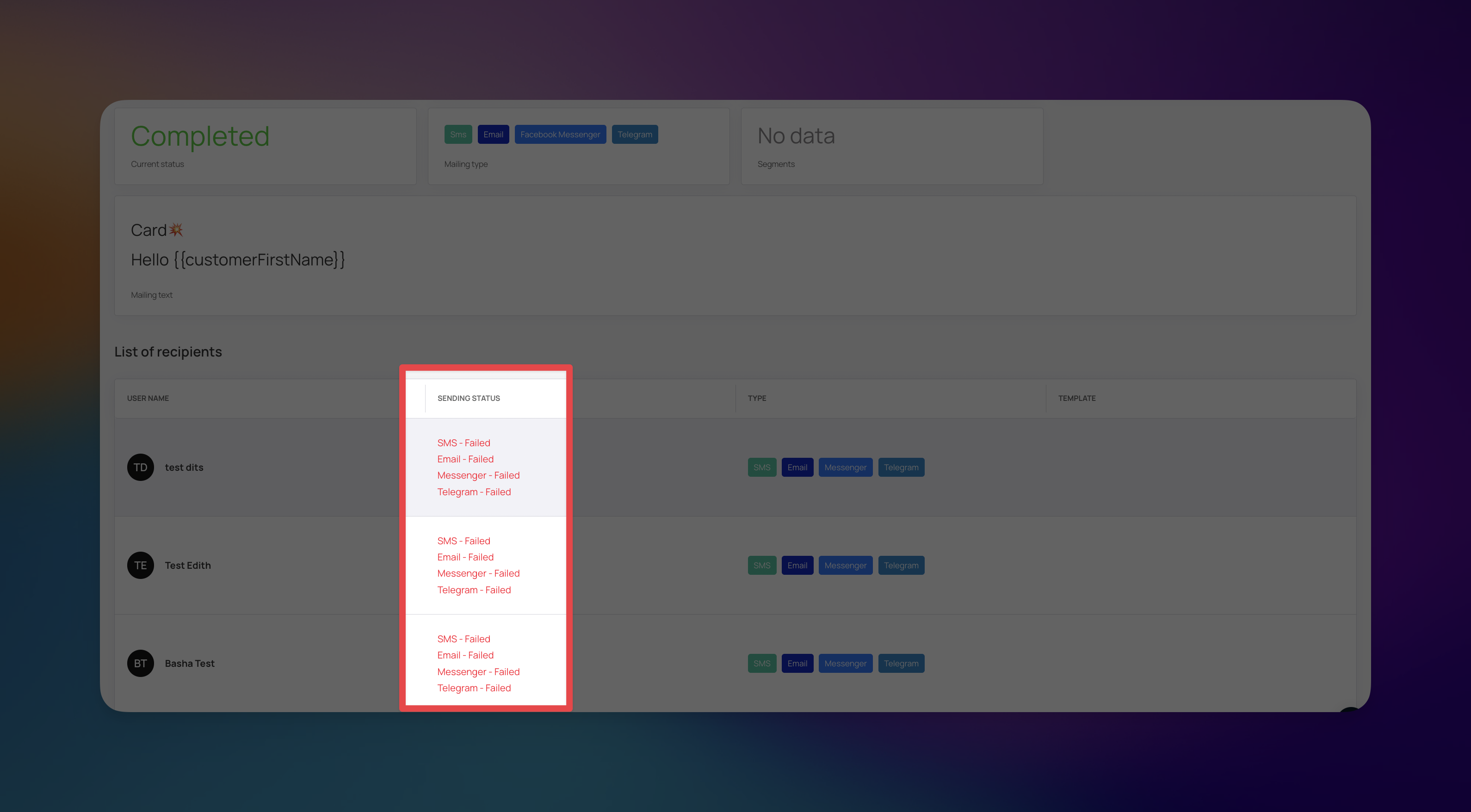
If you notice a high volume of failed messages, investigate the following areas based on the scope of the issue:
If messages are failing across all campaign types and all recipients, the issue is likely infrastructural.
System Outage: Check the Loyally system status page to see if we are experiencing service interruptions.
Missing Integrations: Ensure your email or SMS providers are correctly connected in your account settings under the Integrations section.
For push notification campaigns, a failure often means the required communication channel is not active on the customer's device.
App/Card Installation: The most common cause is that the customer has not installed the required digital card.
Deleted Status: The customer may have deleted the digital card from their wallet application.
Campaign Type | What to Check |
All Types | Loyally System Status Page |
Email/SMS | Provider account balance and connectivity |
Push |
|
To reduce the number of "Failed Sending" statuses in future campaigns, implement the following best practices:
Triggered Onboarding: When a customer installs their card, send a welcome message immediately to confirm connectivity and encourage engagement.
Segment Active Users: Target your campaigns to customers who have interacted with their digital card in the last 30 days to avoid sending messages to inactive accounts.
Educate on Installation: Clearly outline the value of installing the digital card during the signup process, emphasizing that it is required for receiving exclusive updates.
Monitor Metrics: Regularly review your campaign dashboard to identify patterns in failures, allowing you to proactively reach out to customers needing assistance.
Why Aren't My Customers Receiving Push Messages?
Getting your push notifications delivered again
How to Set Up Richie AI for Push Notifications
Customize Your Brand's Voice with Richie AI
How does PUSH notifications work?
Learn more about how push-notifications work on devices