
Here’s how to export your existing customer data inside Loyally.ai:
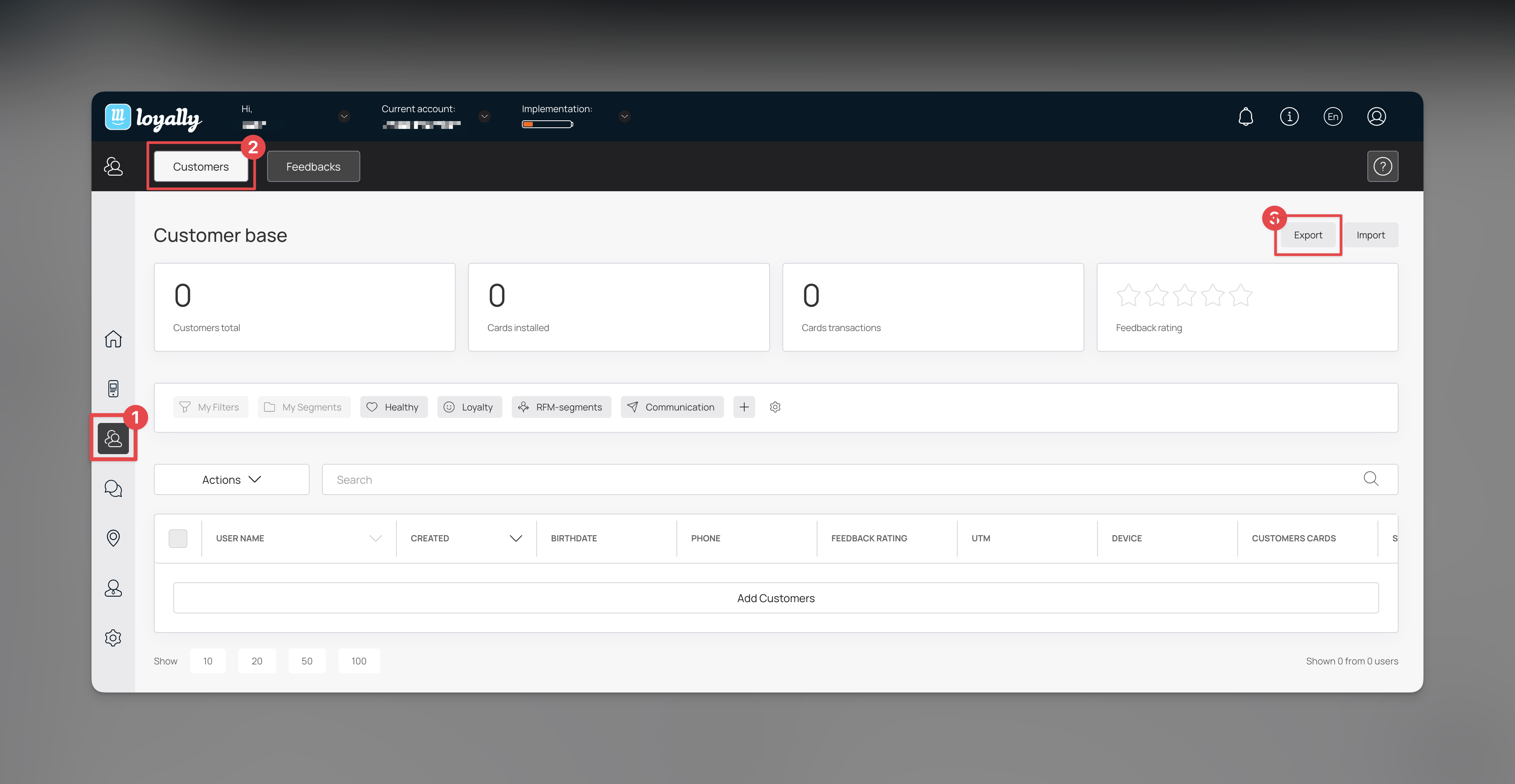
Sign in to Loyally.ai and go to 'Customers' in the Menu Panel.
Click “Export” and save the generated XLS file to your computer.
Done! 🎉🎉 Confirm export success and review new customers in the excel file.
When to use this
One-time reporting or sharing with your team
Offline analysis in Excel or Google Sheets
Compliance, bookkeeping, or backups
Uploading to a tool that doesn’t support integrations
If you need ongoing sync
For real-time or automated data flows, use Loyally.ai integrations, webhooks, or the API instead of exporting manually.
Related Articles
How to Import Customer
Learn how you can import records from Customers section
Customer Filters and Segmentation
Segment and understand your customer base
How to Distribute Cards Based on Manually Created Customer Segments?
Sending Targeted Rewards to Your Manually Created Customer Segments
Webhooks
Learn how you can add Webhooks using Loyally.ai